
Signing a Document
Please note that the specific details of how to sign a document in TI will vary depending upon the eSignature vendor configured for use in the room. The following steps outline how to sign a document using TI sign. For other vendors, please see the relevant job aids.
To sign a document, navigate to it and open its metadata panel.
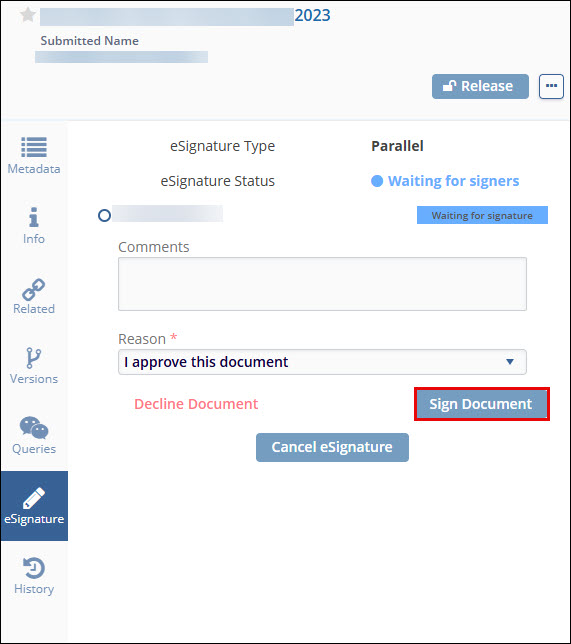
- You will find a tab called eSignature. This displays the current status of the signature workflow, including the name of the required signatories.
- Choose a Reason from the related dropdown, add any comments you may have, then click
on Sign Document. Refer to the screenshot below.
-
After clicking on Sign Document, a window will open up where you will be able to apply your eSignature using your chosen eSignature provider.

TransPerfect’s Trial Interactive is an industry leader in practical, global eClinical innovation
PRODUCTS
 Linkedin
 X
X
Didn’t find what you need?
Our dedicated Project Management and Client Services team will be available to meet your needs
24 hours a day, 7 days a week.
Toll Free:
(888) 391-5111
help@trialinteractive.com
© 2025 Trial Interactive. All Rights Reserved

