
Audit Trail Parameters
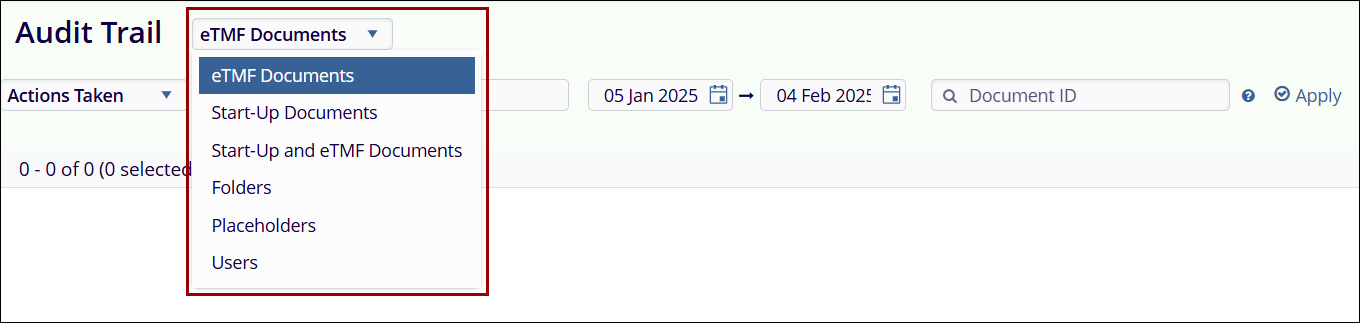
Users can retrieve the audit trail based on selected parameters. The options in the "Actions Taken" dropdown are displayed according to the chosen parameter.
- eTMF Documents
- Start-Up Documents
- Start-Up and eTMF Documents
- Folders
- Placeholders
- Users
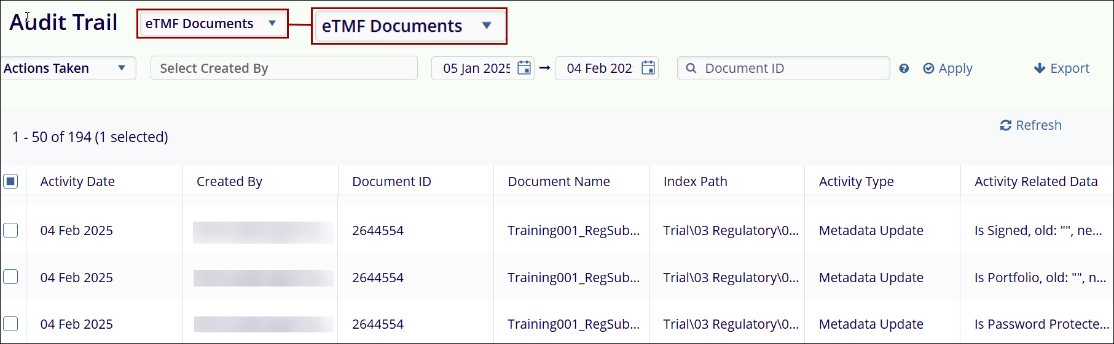
- User Interface for eTMF Documents: When the audit trail for eTMF documents is retrieved, the data is presented in the following columns.
- Activity Date
- Created By
- Document ID
- Document Name
- Index Path
- Activity Type
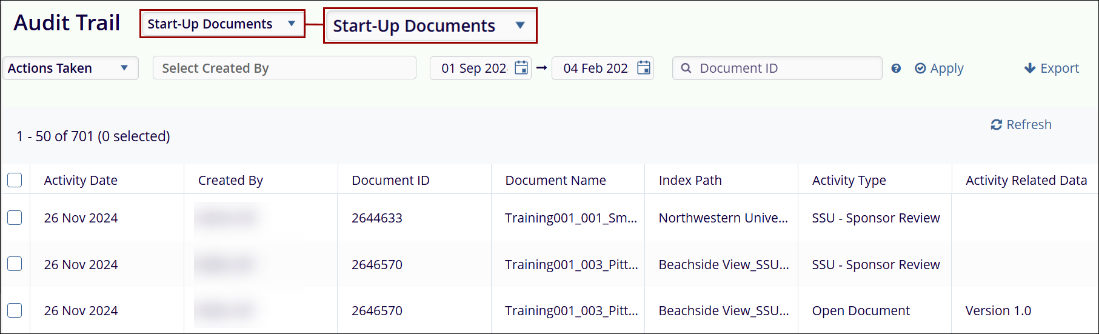
- User Interface for Start-up Documents: When the audit trail for Start-up Documents is retrieved, the data is presented in the following columns.
- Activity Date
- Created By
- Document ID
- Document Name
- Index Path
- Activity Type
- Activity Related Date
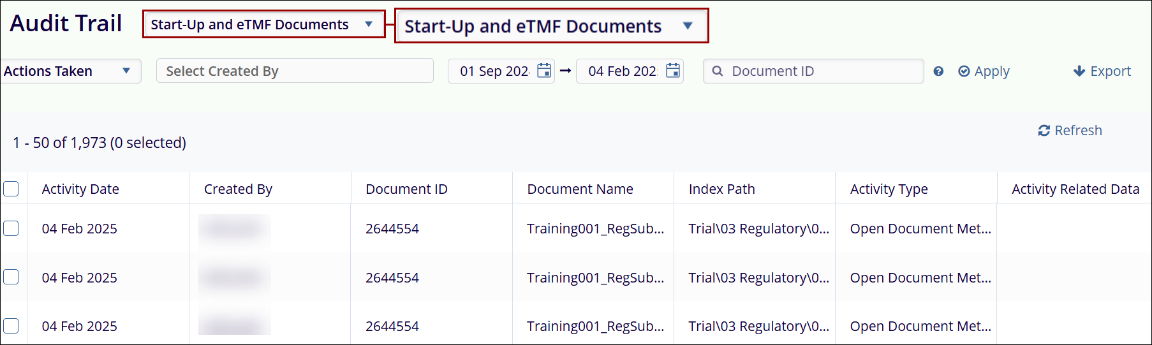
- User Interface for Start-Up and eTMF documents: When the audit trail for Start-Up and eTMF Documents is retrieved, the data is presented in the following columns.
- Activity Date
- Created By
- Document ID
- Document Name
- Index Path
- Activity Type
- Activity Related Date
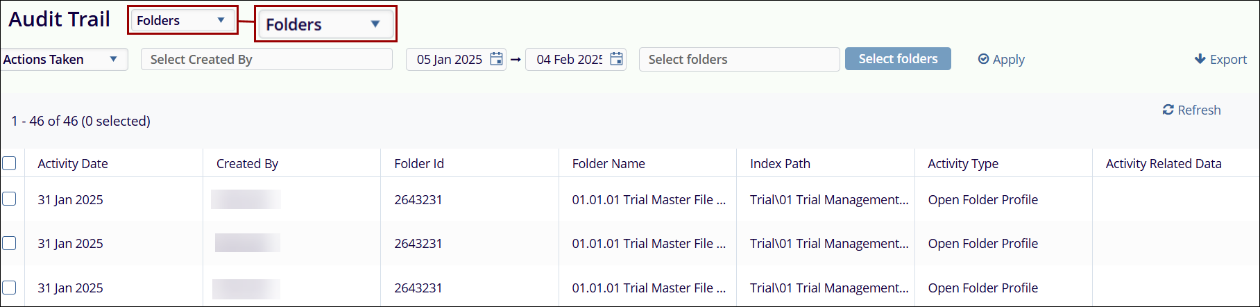
- Folders: When the audit trail for Folders is retrieved, the data is presented in the following columns.
- Activity Date
- Created By
- Folder ID
- Folder Name
- Index Path
- Activity Type
- Activity Related Date
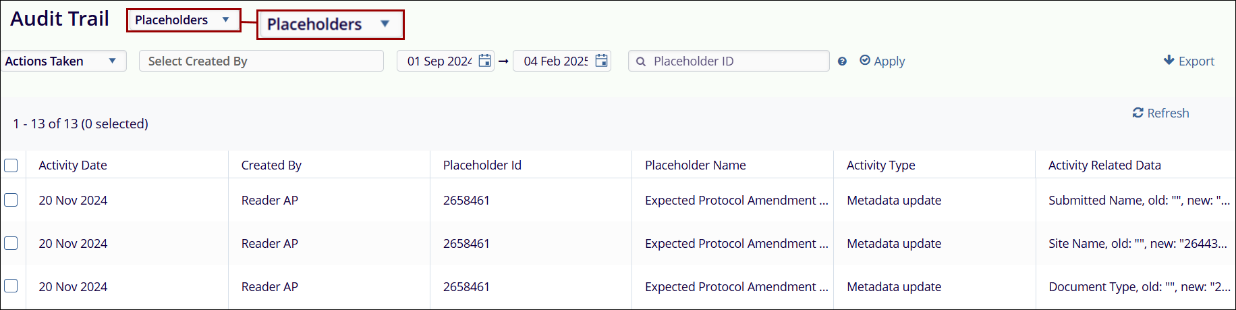
- Placeholders: When the audit trail for Placeholders is retrieved, the data is presented in the following columns.
- Activity Date
- Created By
- Placeholder ID
- Placeholder Name
- Index Path
- Activity Type
- Activity Related Date
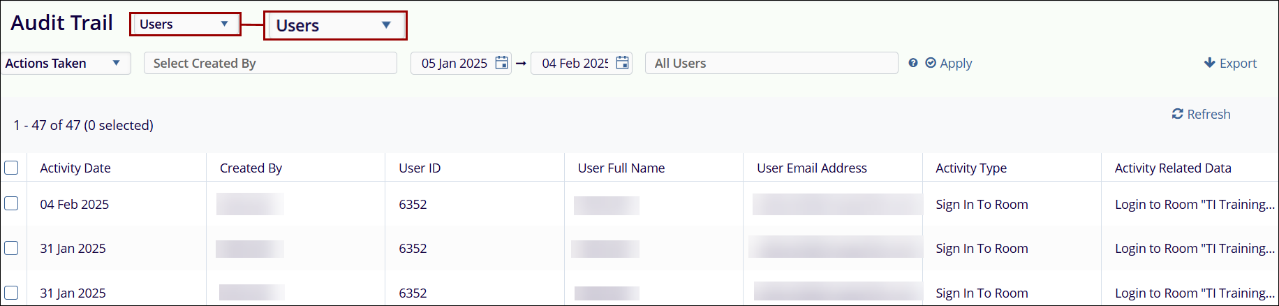
- Users: When the audit trail for Users is retrieved, the data is presented in the following columns.
- Activity Date
- Created By
- User ID
- User Full Name
- User Email Address
- Activity Type
- Activity Related Data
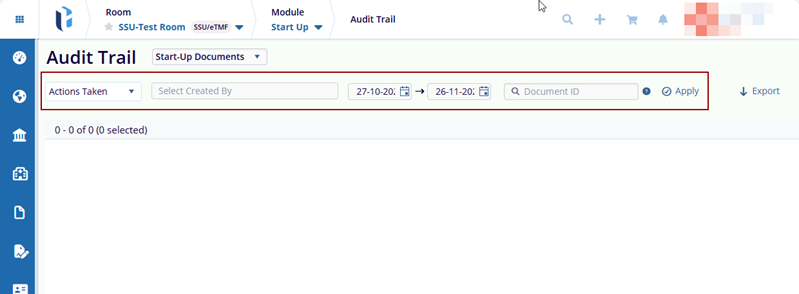
Users can apply additional filters to the selected parameter. The following filters are available in the Audit Trail modal, allowing users to retrieve specific data.
© 2025 Trial Interactive. All Rights Reserved

