
Delete Site
To delete a site, follow the steps below.
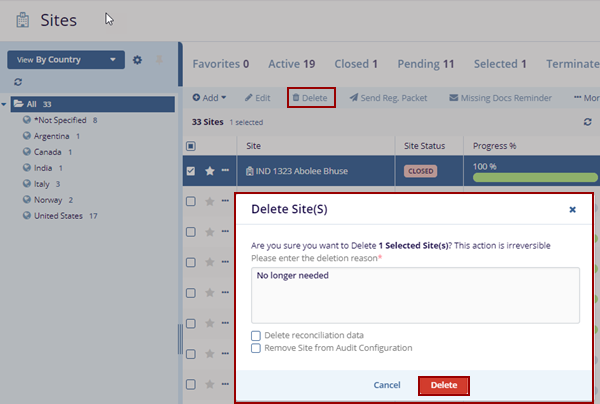
- Select a site from the list by clicking on the checkbox and clicking the Delete button from the top menu ribbon.
- The Delete Site(S) pop-up window is displayed with a deletion reason box.
- Optionally enable or disable the following by selecting or
deselecting the checkboxes.
- Delete Reconciliation Data
- Remove Site from Audit Configuration
- Click on the Delete button.
© 2025 Trial Interactive. All Rights Reserved

