
Reports
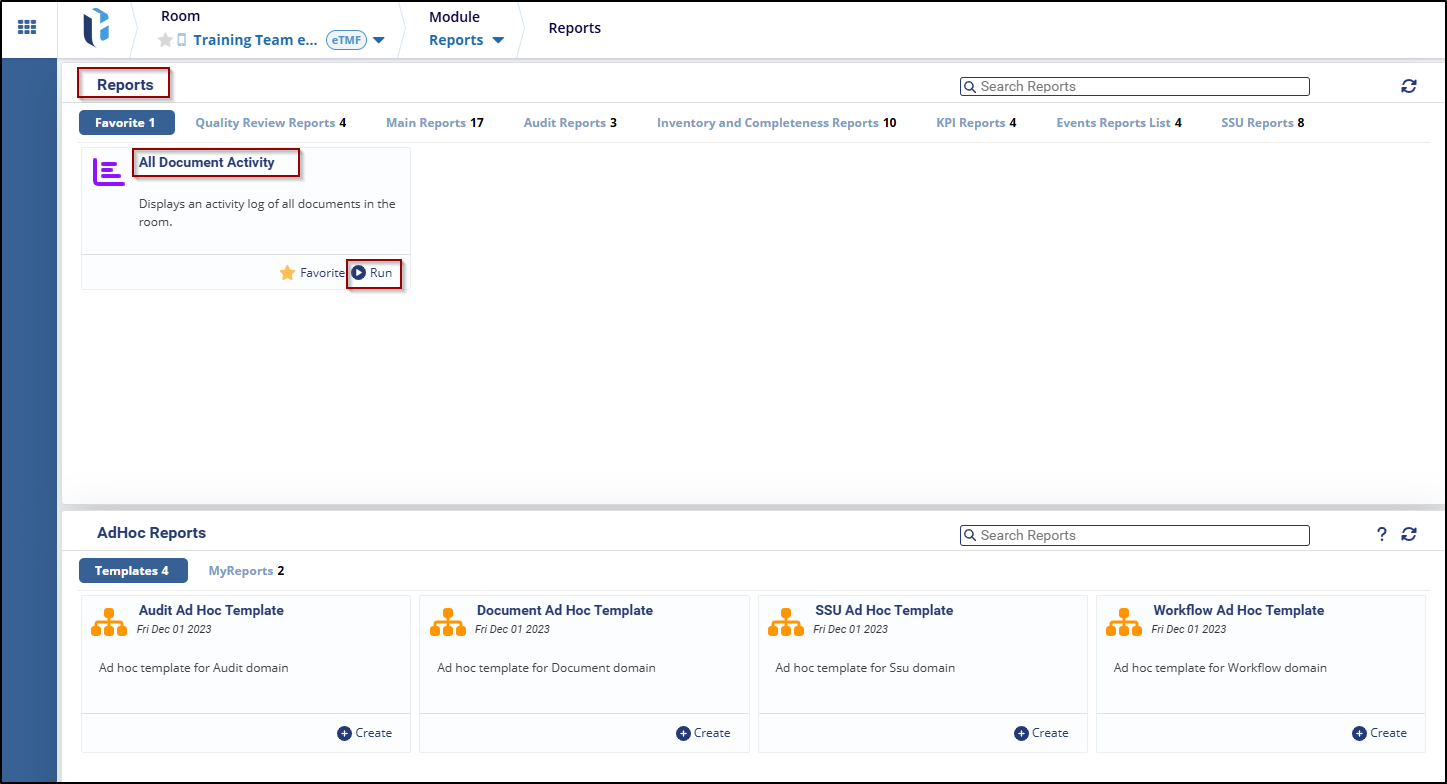
The Reports tab displays a list of room activities and log activity.
To run the reports, follow these steps:
- Navigate to the Reports tab, and select any report from the below options (Favorite, Quality Review Reports, Main Reports, Audit Reports, etc.).
- Click on the Run button to view the report.
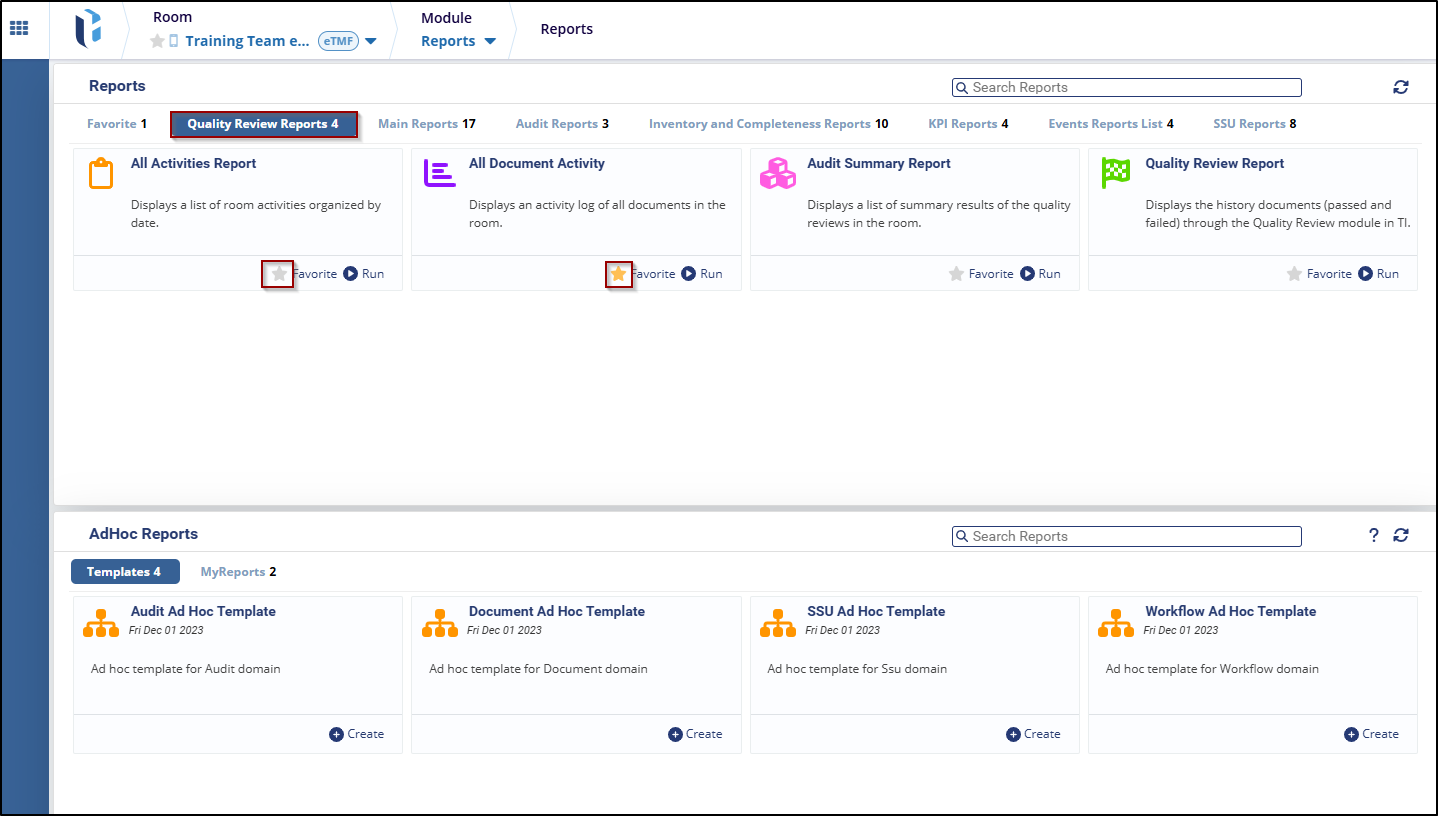
To add a report as a favorite, follow these steps:
- Select any reports from the Report tab, and the user can see the Star icon.
- Click on the Star icon to mark that report as a favorite, and the report will be added to the favorite option.

 Linkedin
 X
X

