
Add Countries
To add a country, follow the steps below:
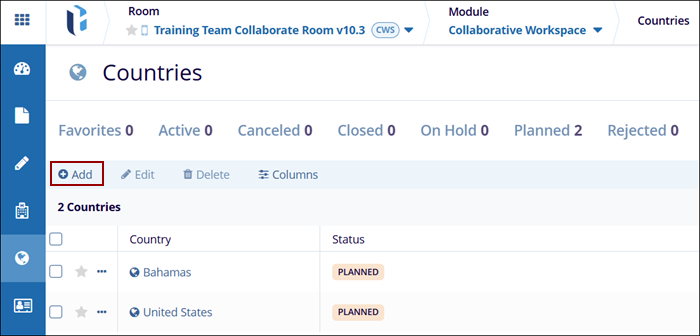
- In the Collaborative Workspace module, go to the sidebar and click on the Countries modal.
- Click on the +Add button at the top of the grid.
- In the Add Country form, select a country from the Country drop-down list.
- Optionally, fill in additional details i.e., Languages, Country
Comments, and Room Contact # etc.
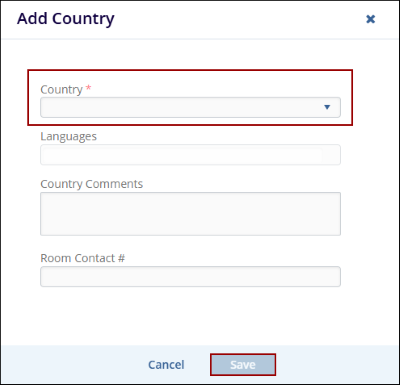
- Once all necessary information is entered, click on the Save button to add the country to the list.
© 2025 Trial Interactive. All Rights Reserved

