
Convert to Users
Administrators have the capability to convert contact(s) to room user(s).
To convert a contact to a user, follow the steps below:
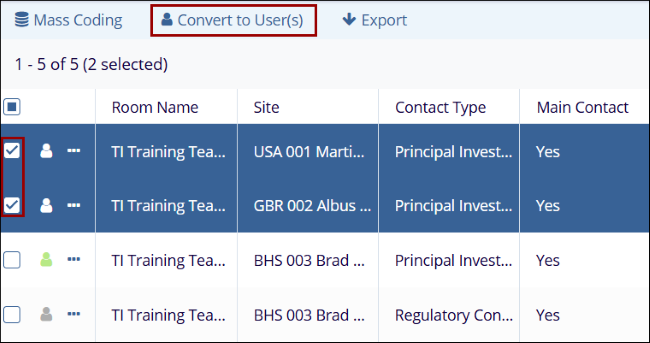
- Select a single or multiple contacts by clicking on their respective checkboxes.
- Click on the Convert to User(s) button from
the top menu bar.
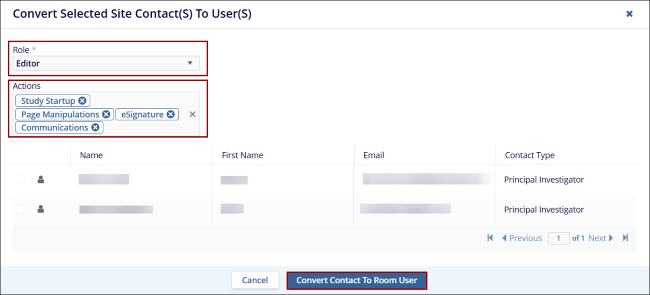
- On the Convert Selected Site Contact(S) To User(S) window, click on the Role* dropdown and select Editor or Reader.
- Click on the Actions dropdown and select the actions that the user would be
allowed to perform in addition to the basic rights associated with their user access role. Note:
The Actions dropdown displays options based on the role selected.
- Click on the Convert Contact to Room User
button.
- Once the contact is successfully converted to a user, it is displayed in the users list within the User Management module.
© 2025 Trial Interactive. All Rights Reserved

