
Remove
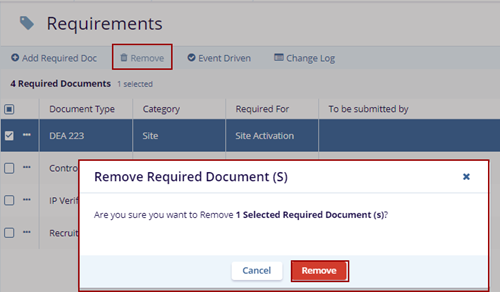
- Select the site and click the Remove button above on the top menu bar.
- The Remove Required Document(s) with the Cancel and Remove buttons.
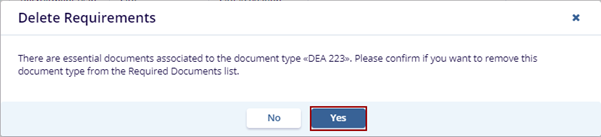
- Click the Remove button, the Delete Requirements pop-up window with the
No and Yes buttons.
- Click Yes button the notification is message
is displayed on the top right side of the screen.

© 2025 Trial Interactive. All Rights Reserved

