
Audit Trail
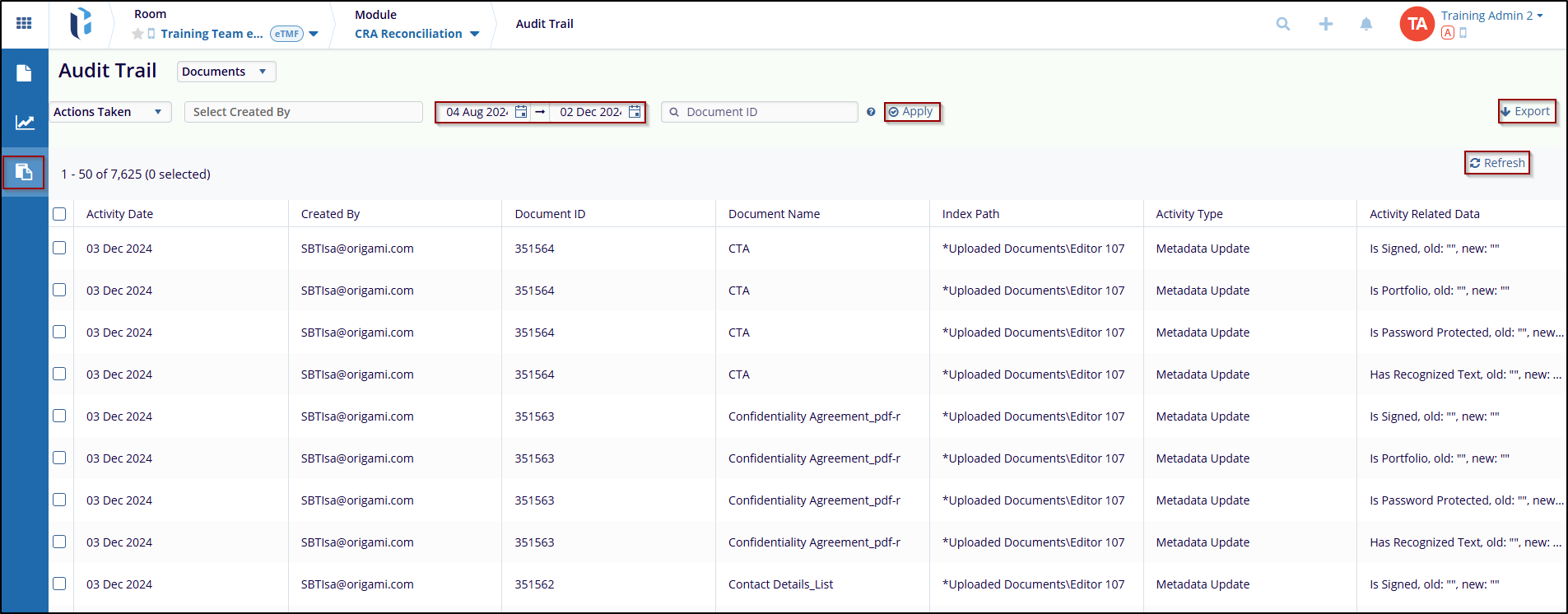
An Audit Trail is a security-relevant chronological set and source of records that provide evidence of the sequence of activities performed over a document. The changes made in a document by all users are displayed within the Audit Trail.
Users can access the Audit Trail by selecting it from the menu bar on the left side of the navigation pane.
Refer to the Audit Trail from the eTMF Module for a more detailed description of these options.
Note: By default, the audit trails grid pane is empty, and the documents are displayed only after entering and applying certain parameters and criteria.

 Linkedin
 X
X

