
Filters
The Filter provides advanced filtering capabilities to customize search results. Users can create new filters or manage existing ones to streamline data.
To apply filters, follow these steps:
- Click on Filter, next to the Views option.

- This filter will provide the Advance option, click on the
dropdown option:
- Create New Filter
- Manage Filter
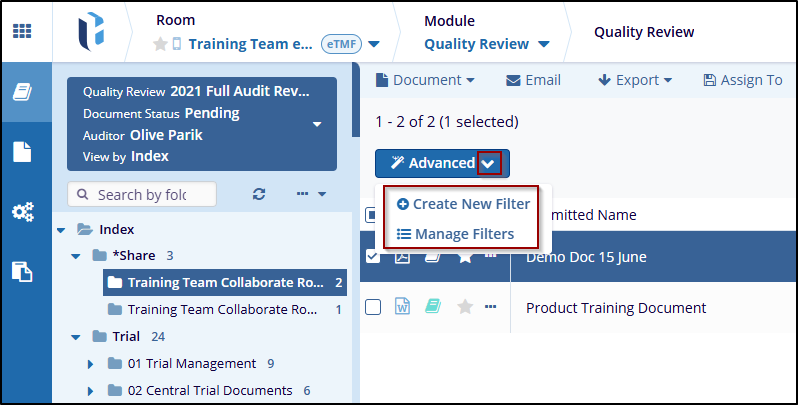
- Click the Create New Filter will open a new
window, the user can create a new filter by Add Filter button and
by Add Group button.
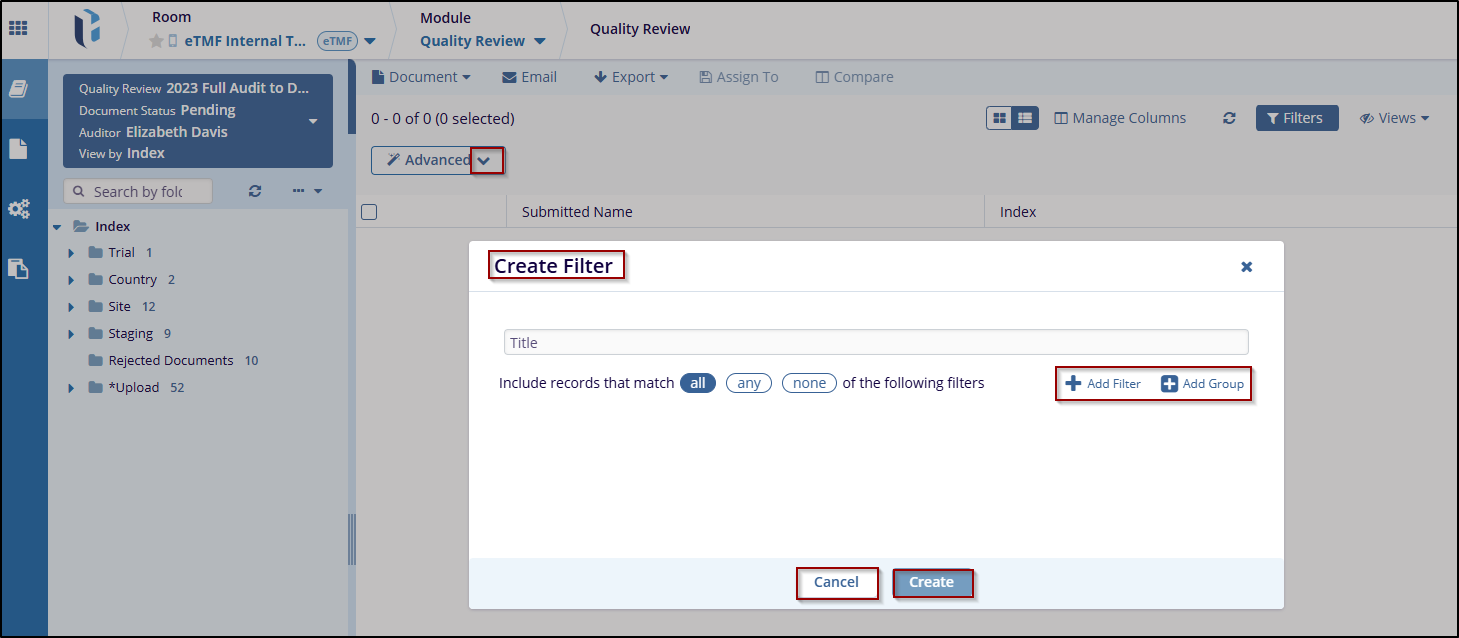
- Click the Create button to create a new filter to the current view, If the user decides not to save the changes, click the Cancel button to discard the changes.
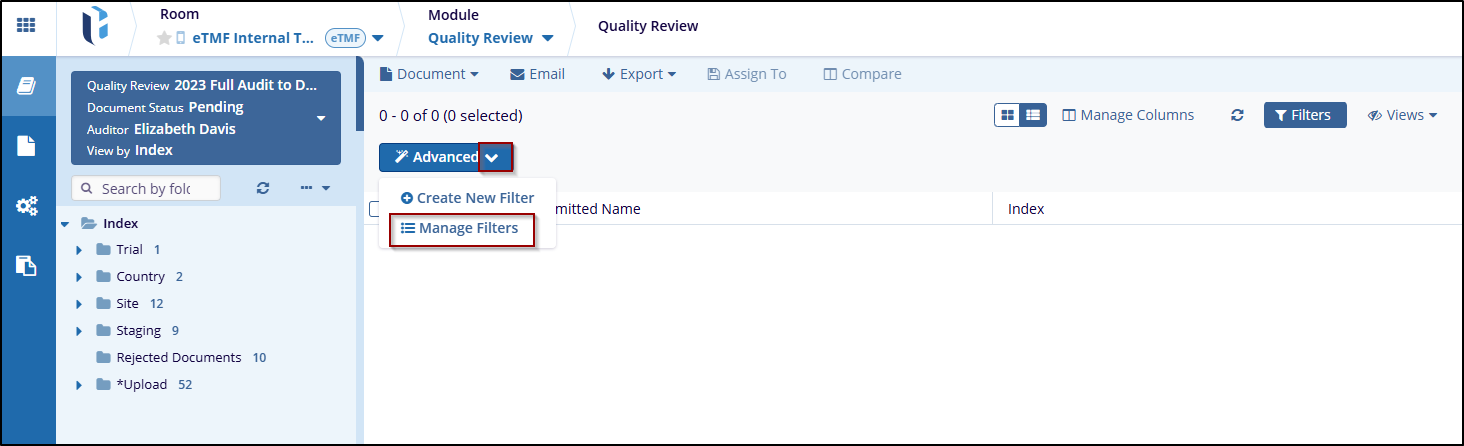
- Once the Create Filter is applied, go back to the Advanced
button and click the Manage Filters to edit the
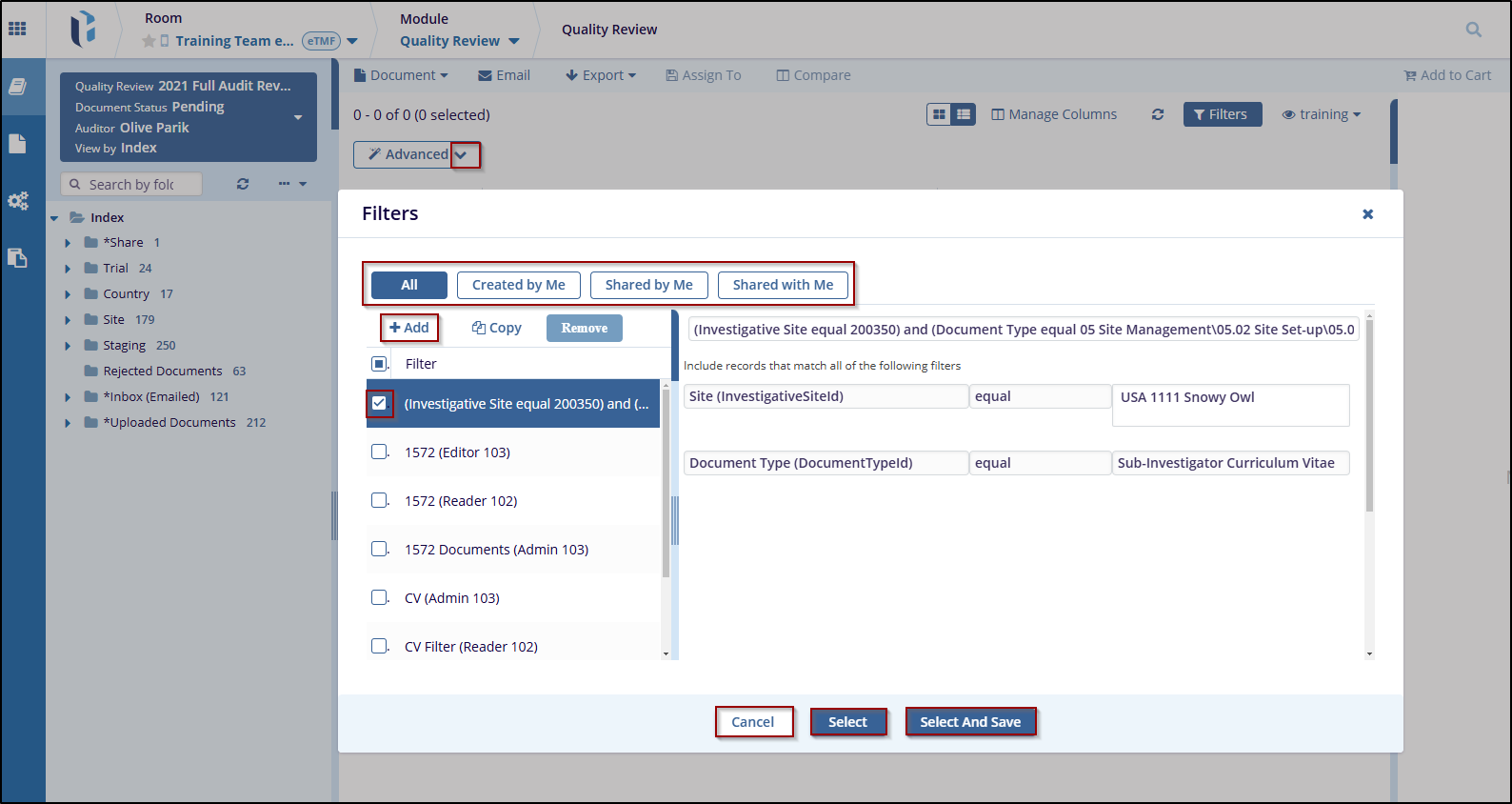
current filter by selecting Filter
from the available list.
- Once selected, click the Select and Save to apply the changes or click the Cancel to discard the changes.

 Linkedin
 X
X

