
Layout
The Layout provides users with different data viewing options. The choice of layout can help enhance user experience by making the data easier to navigate or manage.
To apply a layout view, follow these steps:
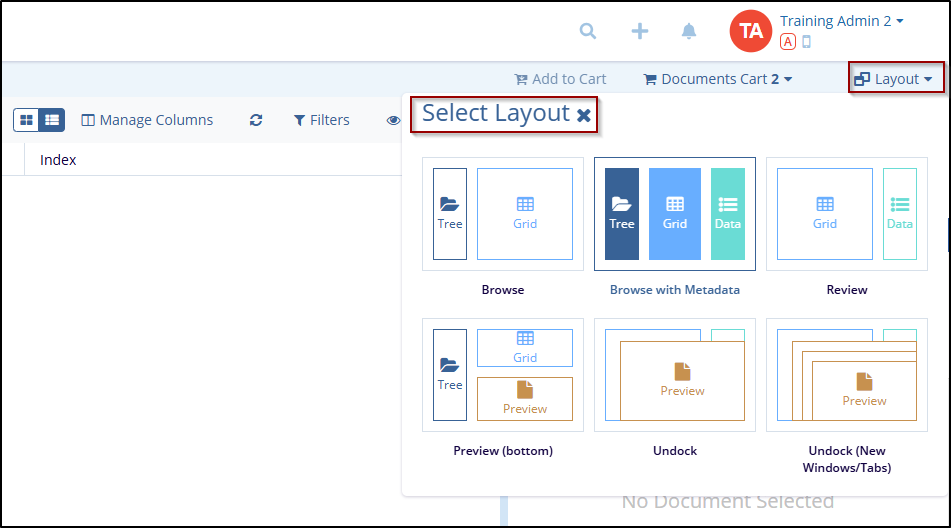
- At the top-right click on the Layout button. This will open a menu displaying available layout options.
- From the layout options displayed, select the one that best suits the user's needs:
Browse: this is the default view for browsing data.
Browse with Metadata: this option displays data along with associated metadata, which may be useful for understanding the context of the data.
Review: It is likely a review or approval view, useful for reviewing data before finalizing it.
Preview (Bottom): this view option displays a preview of the selected data or document at the bottom of the screen.
Undock: this option enables users to separate a section of the interface
Undock (New Windows/Tabs): This allows users to open a section or window in a new browser window or tab.

 Linkedin
 X
X

