
How to use the Staging Area
In the Staging Area, users can find folders related to documents. Folder displays its eTMF Health measurement at the study, country, and site levels.
Steps to select the Staging Area document:
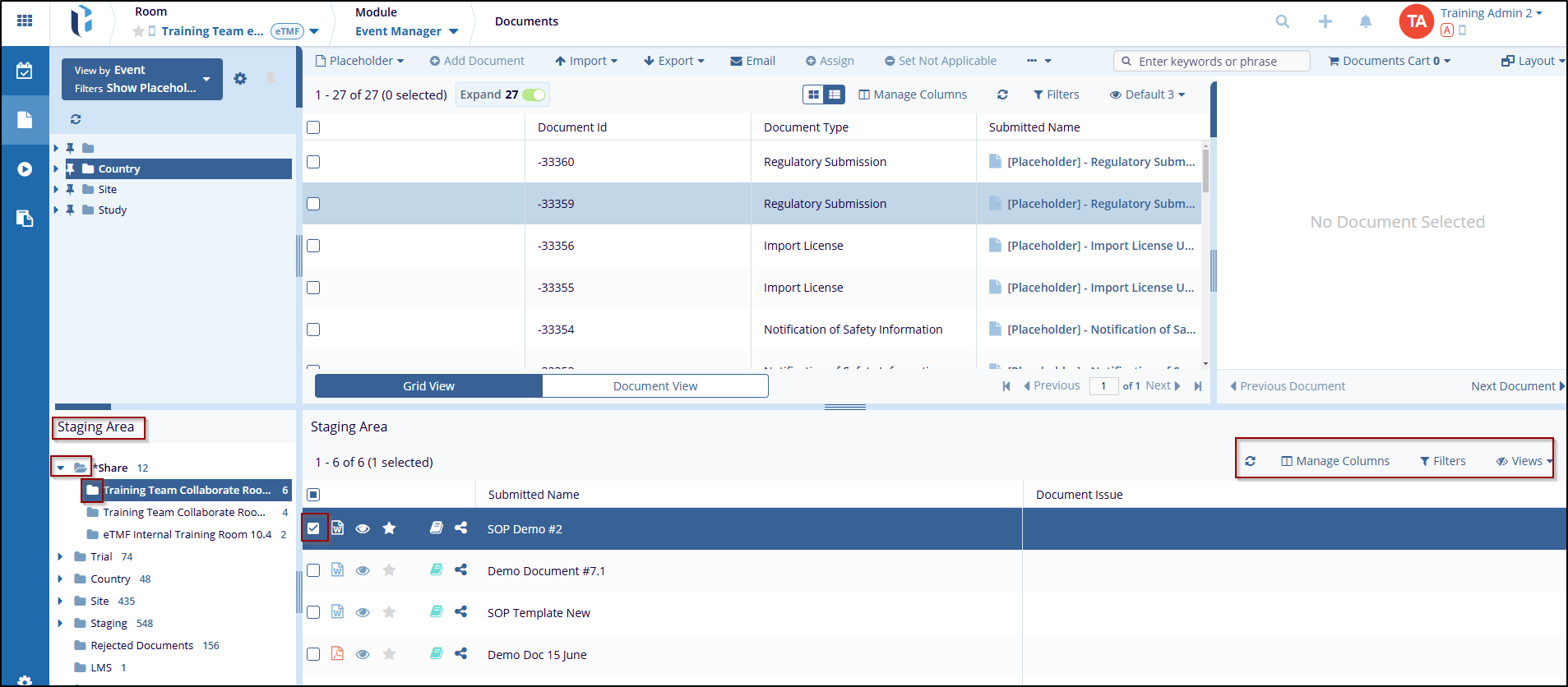
- Navigate to the Documents section from the Event Manager module, at the top of the Index pane, click the Staging Area dropdown menu.
- This dropdown menu allows users to select the documents from the staging area folders.
- Select the available document views under folders: Share, Trial, Country, Site, etc.
- Once a folder is selected, documents are reflected on the right side of the staging area, where the user can access tools such as Refresh, Manage Column, Filter, Views, etc.

 Linkedin
 X
X

