
Integrated myTI Rooms
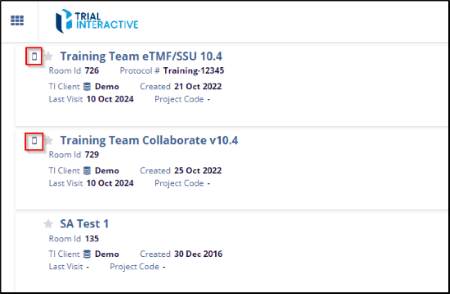
An icon is displayed next to rooms that are accessible through myTI, making it easier to distinguish them from standard online application rooms. The same icon also appears within the room and in your Username Menu dot for quick reference.
Mark a Room As Favourite
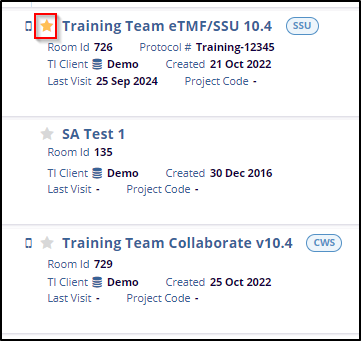
The left pane of the Home page lists all assigned rooms and displays key room details, including Room ID, Creation Date, Last Visit, Protocol, TI Client, and Project Code. Rooms can be marked as favorites using the Star icon.
© 2025 Trial Interactive. All Rights Reserved

