
User Profile Menu
The User Profile Menu provides quick access to essential user options and information. From this menu, users can manage language preferences, view and update their profile, access contact help and the user guide, learn more about the current room, and sign out of the application.
It also includes display controls such as zoom in/out and light or dark mode selection, along with system utilities like viewing background jobs and clearing all active items.
Language Setting
Follow the steps below to set your preferred language: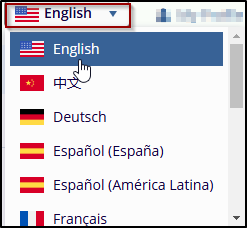
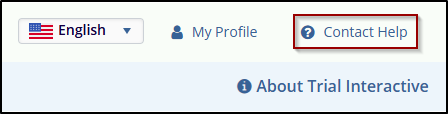
Contact Help
This section allows users to get assistance from the Trial Interactive service desk by selecting the Contact Help option from the Username Menu.
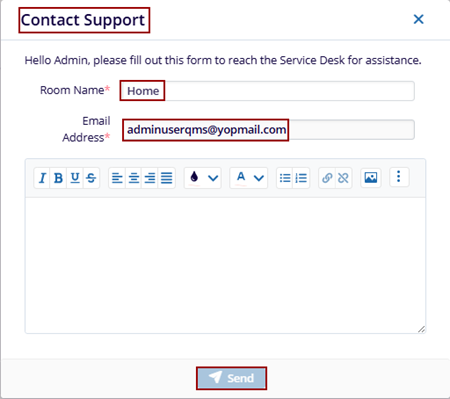
This opens the Contact Support window, which allows user to enter the details for the request needed and send it to the service desk.
Online User Guide
This section allows users to view theOnline User Guide which contains the full contents of the document, in addition to job aids and videos designed to help you perform many of the most common tasks in Trial Interactive.

Sign Out
Click the Sign Out button in the top-right corner, as shown in the screenshot below, to log out of your account. However, the user navigates back to the Trial Interactive Log In Page.
© 2025 Trial Interactive. All Rights Reserved

