
Billing Reports
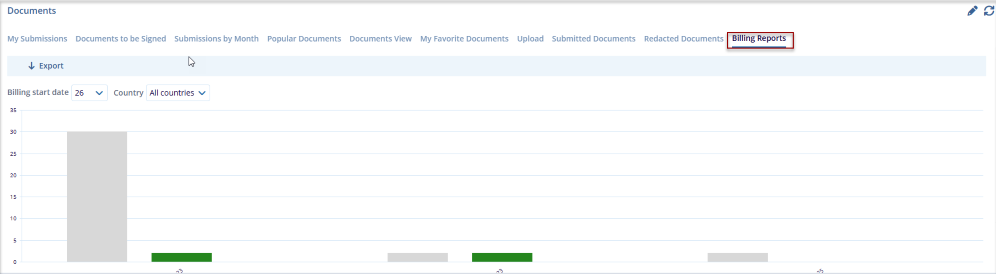
The Billing Reports dashlet displays the number of submitted documents within the date range starting from the 26th to the 25th of each month, by default. Additionally, users can filter document submissions by specific countries, including site-level documents for those countries.
Follow the steps below to view Billing Reports:
- Click Billing Report tab within the Documents dashlet, it provides a graphical overview of billing-related document activity across the study.
- The data is displayed in a month-wise bar chart format for easy comparison and tracking.
- The Billing Start Date dropdown allows users to select the billing cycle start date.
-
The Country dropdown enables filtering the report by specific country or viewing data for All Countries.
- The report dynamically updates based on the selected filters.
- An Export option is available to download the billing report data. The chart visually represents document counts to help monitor billing trends.
© 2025 Trial Interactive. All Rights Reserved

