
Audit Trail
An Audit Trail is a chronological, security-relevant record that captures and displays the actions performed on a document. It provides evidence of all changes made by all users. The following section outlines the available filters for viewing and analyzing the audit trail..
To access the Audit Trail modal within the eTMF module, follow the steps below:
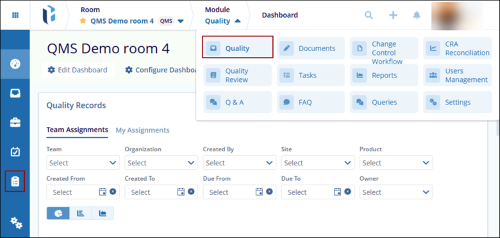
- Open the Quality module by selecting it from the navigation grid, or use the Module dropdown to choose the Quality module.
- Choose Audit Trail from the left-hand navigation pane.
- The Audit Trail screen will display, presenting filter options to refine the search and an option to export the audit trail details.
© 2025 Trial Interactive. All Rights Reserved

