
QDMS: Quality Document Management System
Content Management for Quality and Beyond
Configurable Indexes, Workflows, Document Types, Required Documents, and Dashboards, TI provides a single place for Content Management. Create rooms to share and collaborate on clinical documentation for trials, Quality Management, Regulatory, Departmental Workspaces, and much more. TI is designed to align document work streams with regulatory compliance practices for document authoring, approval, control, and training.
Author to Archive
Complete the end-to-end process, collaborative document review and authoring, version control, automated approval, and periodic review processes with built-in 21 CFR 11 compliant electronic signatures.
Integrated Process for SOPS and Policies
Review and approval cycles, TI Content Management is completely integrated with Global Learn for procedural document training. Content Management rooms can also be linked to eTMF rooms for seamless sharing of study documentation.
Accessing Quality Module
To access the Quality module, the following prerequisites must be met:
- The Quality Records module must be enabled at the room level by the Super Administrator.
- The following quality record actions must be added to the user profile within the
Users Management module:
- Access to Quality Records
- Restrict Document Creation
- Create Incident
- Create CAPA
- Manage Record Assignments
To access the quality module, follow the steps below:
- Log in to Trial Interactive and select the Collaborate room within which the
Quality Module is enabled.

- Click on the waffle menu at the top left and select the Quality module.
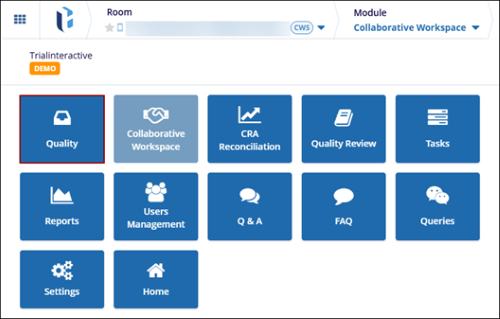
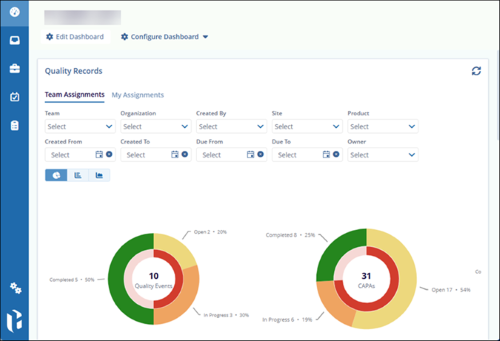
- The Dashboard page opens by default, and the left-hand navigation pane is
populated based on the user's assigned role.
© 2025 Trial Interactive. All Rights Reserved

