
Reassigns Ownership
Follow the steps below:
- In the Start-Up module, click the Countries icon.
- On the Country Details page, click the CTIS tab.
- Select the country that was proposed earlier.
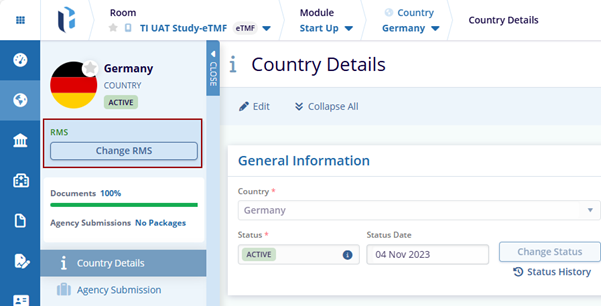
- Click the Change RMS button. The Change RMS window is displayed with the
Cancel and Change RMS buttons.
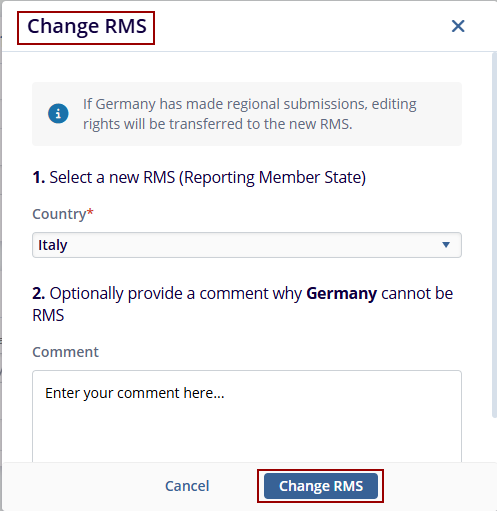
- Select the Country from the dropdown and click the
Change RMS button.
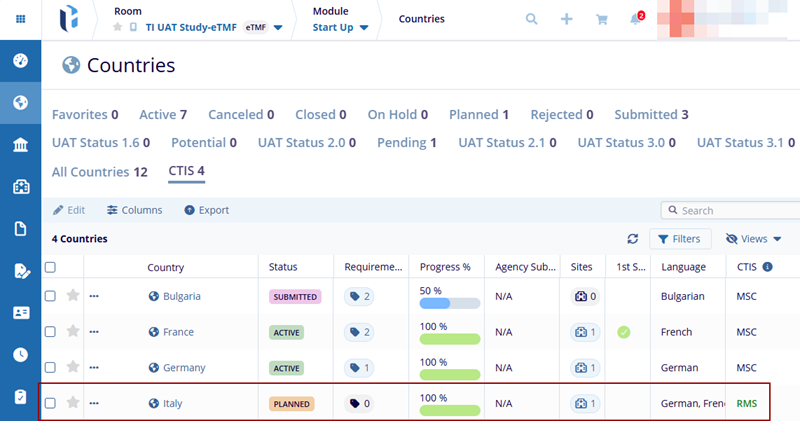
- The page reloads, and the Change RMS button available up in the index panel
disappears, and the user can see the RMS in the CTIS column for the New Country.
© 2025 Trial Interactive. All Rights Reserved

