
Releasing a Claimed Document
A user will have claimed documents that need to be returned to the pool of available Review documents so that someone else may claim them for review.
To release the claimed documents, follow these steps:
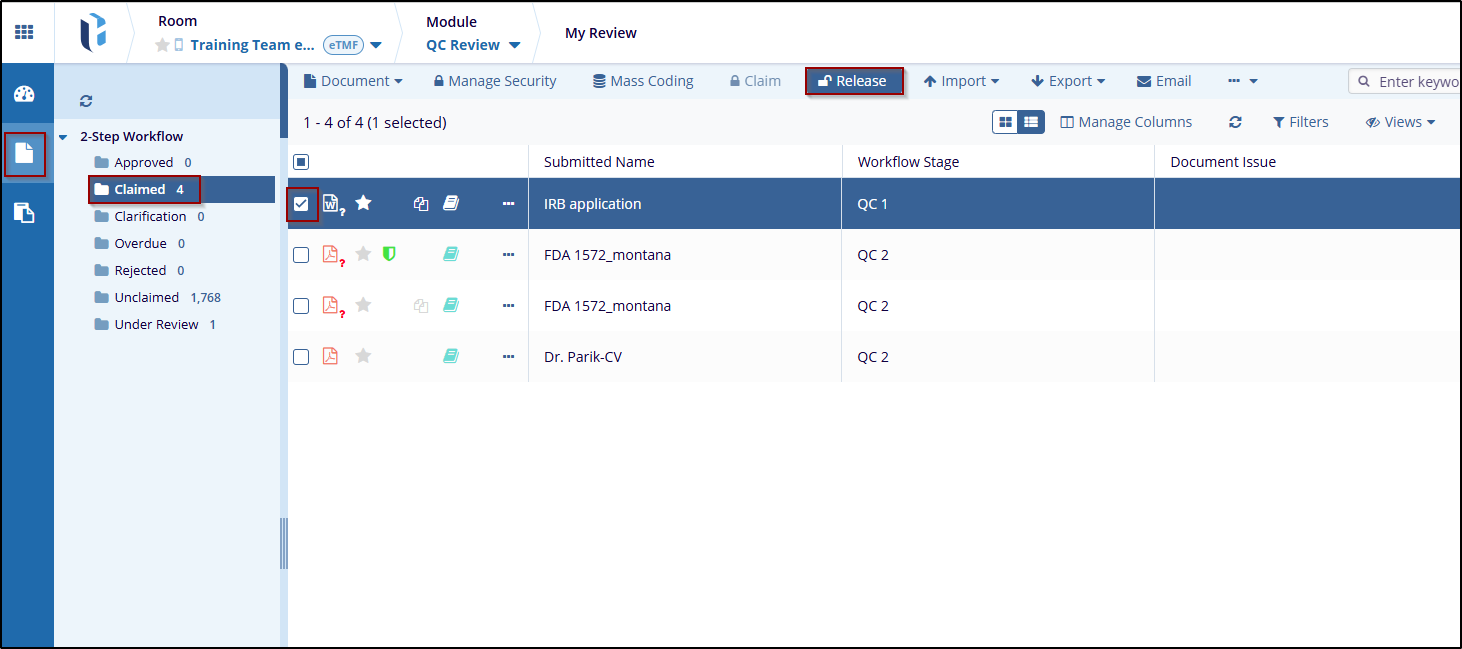
- Navigate to the My Review section available in the vertical menu on the left side of the screen.
- Click the 2-Step Workflow dropdown menu above the index pane. This will display the folder with its status.
- Click on the Claimed folder, and all of the documents that are currently claimed will populate the grid.
- Check the checkbox to indicate which documents should be released.
- Click the Release button above the grid.
- Once released, the documents will be removed from the Claimed folder and returned to the Unclaimed folder.
- Alternately, this may be done by a room administrator using the three-dot menu at the top-right of the metadata pane.

 Linkedin
 X
X

