
User Management
Note: Currently, only Super Administrators can access the User
Management module.
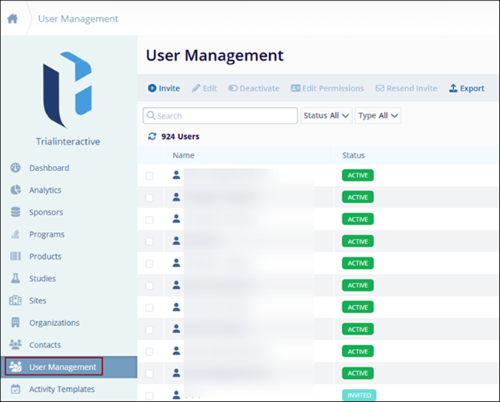
Key functions of User Management:
-
Invite User: Send invitations to new users to join the platform and start collaborating.
-
Edit User: Update user details such as name, email, or role information as needed.
-
Edit Permissions: Adjust user access levels and roles to control what features and data they can access.
-
Resend Invite: Send a reminder invitation to users who haven’t accepted their initial invite, ensuring they can complete the onboarding process.

TransPerfect’s Trial Interactive is an industry leader in practical, global eClinical innovation
PRODUCTS
 Linkedin
 X
X
Didn’t find what you need?
Our dedicated Project Management and Client Services team will be available to meet your needs
24 hours a day, 7 days a week.
Toll Free:
(888) 391-5111
help@trialinteractive.com
© 2025 Trial Interactive. All Rights Reserved

