
Delete Site
To delete a site, follow the steps below:
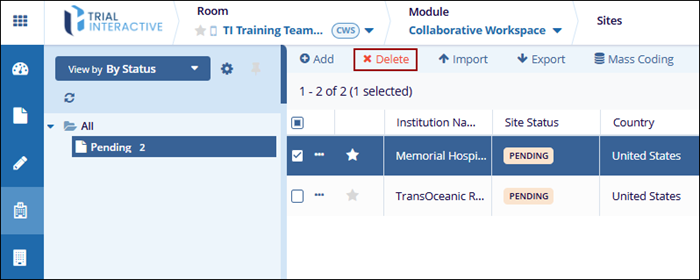
- On the Sites screen, check the box next to the site to delete,
- Click on the Delete button.
-
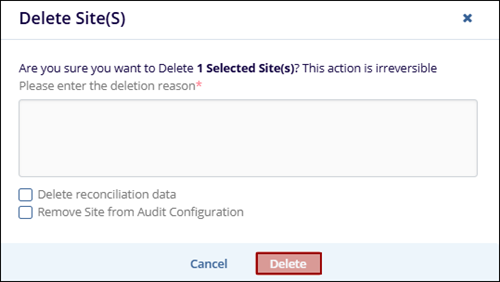
On the Delete Site(s) dialog, enter the reason for deletion in the provided field. Optionally, select Delete reconciliation data or Remove Site from Audit Configuration if applicable.
- Click the Delete button to confirm the deletion.
Note:
This action is irreversible, and a confirmation message will indicate the site has been deleted.
© 2025 Trial Interactive. All Rights Reserved

