
Site Views
To access and configure the site views, follow the steps below:
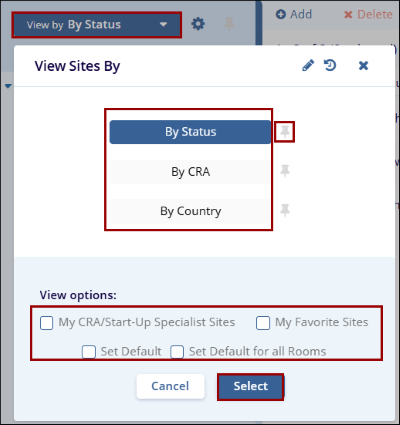
- Click on the View by dropdown from the Sites screen.
- On the View Sites By window, select a view by clicking on the view name.
- By Status: Displays the contacts grouped by the site.
- By CRA: Displays the sites grouped by the associated CRA.
- By Country: Displays contacts grouped by their country association.
- Click on the pin icon to pin a view and this view is selected once user access the Sites modal.
- Select the different view options by checking the box before their name.
- Click on the Select button once the desired view is selected.
© 2025 Trial Interactive. All Rights Reserved

