
Import Sites
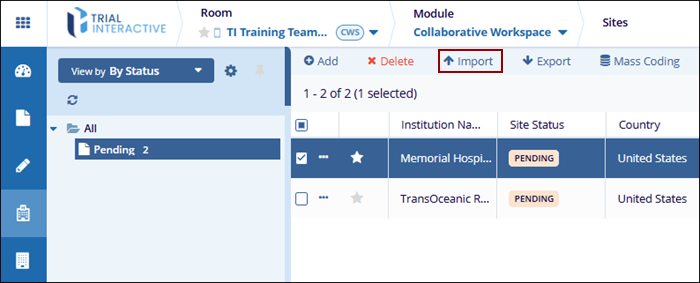
To import sites from the Collaborative Workspace module, follow the steps below:
- On the Sites screen, click the Import button
from the top menu bar.
- On the Sites Import dialog, click on the See the sample worksheet template to download a template and enter the necessary details.
- Click Select to upload a metadata file in .xlsx format. Ensure that the
spreadsheet contains two worksheets.
- The first worksheet should list investigative site details.
-
The second worksheet should list contacts.
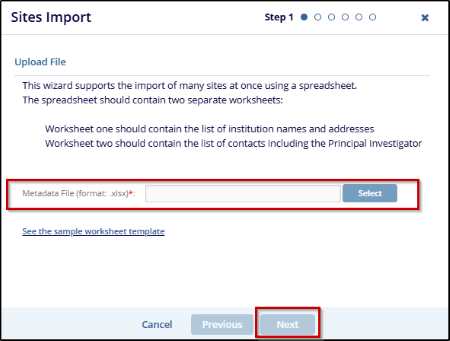
- After selecting the file, click Next to proceed with the import process.
© 2025 Trial Interactive. All Rights Reserved

