
Workflow
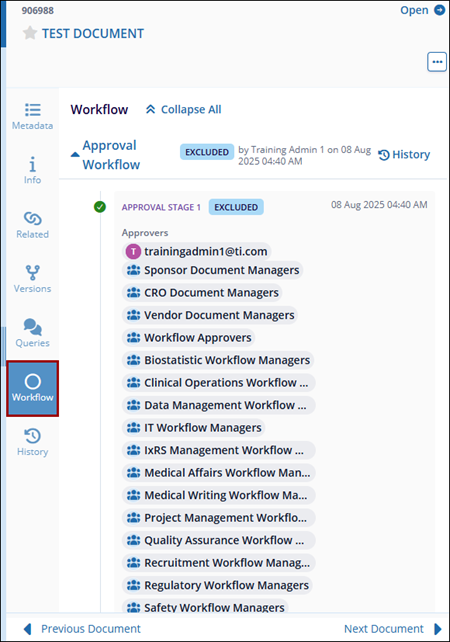
The Workflow tab displays the workflow process associated with the selected document. It shows the workflow stages, approval steps, assigned approvers, and the current status of the document within the workflow.
To view the document in the workflow, follow the steps below:
- Select a document from the grid and click the Workflow tab from the Metadata panel.
- View the workflow stages, including the step name, assigned approvers, and current status (e.g., Pending, Approved, Excluded).
-
Click History to see the history and actions performed within each workflow stage.
© 2025 Trial Interactive. All Rights Reserved

