
Compliance Health Dashlet Filters
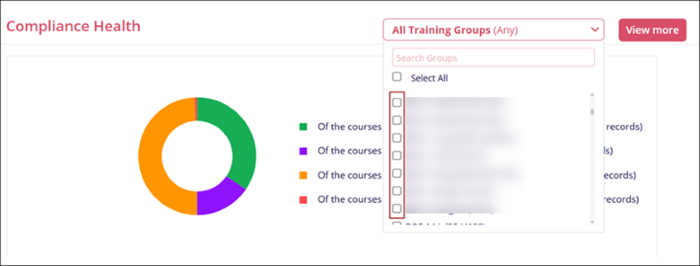
The Compliance Health dashlet can be filtered by Training Groups.
To apply filters, follow the steps below
- Click on the All Training Groups filter dropdown and select the required training
groups by clicking on the respective checkbox.
- Once a training group or multiple training groups are selected, an additional stacked bar
chart is displayed showing statistics about the selected training groups.
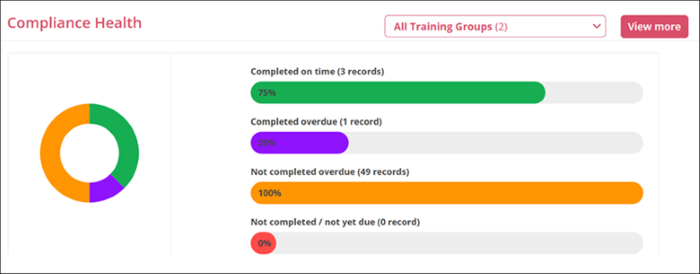
- Each bar represents a different category of course completion status, with the length of the colored section indicating the percentage of courses that fall into each category.

TransPerfect’s Trial Interactive is an industry leader in practical, global eClinical innovation
PRODUCTS
 Linkedin
 X
X
Didn’t find what you need?
Our dedicated Project Management and Client Services team will be available to meet your needs
24 hours a day, 7 days a week.
Toll Free:
(888) 391-5111
help@trialinteractive.com
© 2025 Trial Interactive. All Rights Reserved

