
Auto-Claim Configuration
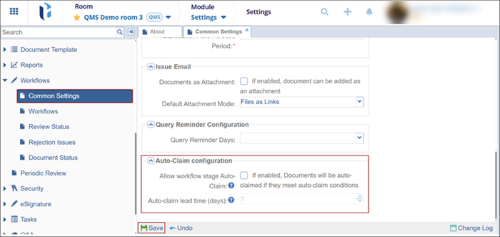
To configure the auto-claim configuration settings, follow the steps below:
- Navigate to Settings module > Workflows > Common Settings.
- Select the checkbox next to the Allow workflow stage Auto-Claim setting.
- Enter the number of days after which unclaimed records will be automatically claimed by the system and assigned to the stage assignee.
- Click the Save button.
Important
- If multiple assignees are present in a particular stage, one authority must manually claim the record, regardless of the Auto-Claim Configuration settings.
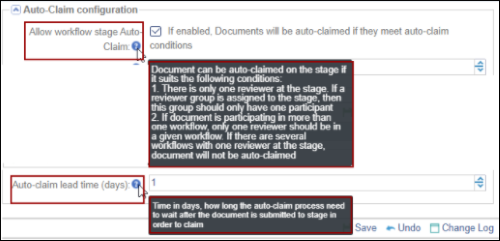
- Click the tooltip icon to view the description of the respective setting.
© 2025 Trial Interactive. All Rights Reserved

