
Queries Dashlet
The Queries dashlet offers users a centralized interface to view and manage all query-related activities. It presents queries in a tabular format, allowing users to customize columns and views, apply filters, and export query lists. The dashlet is divided into two tabs, namely.
- Assigned to Me: This tab displays queries assigned to the current user.
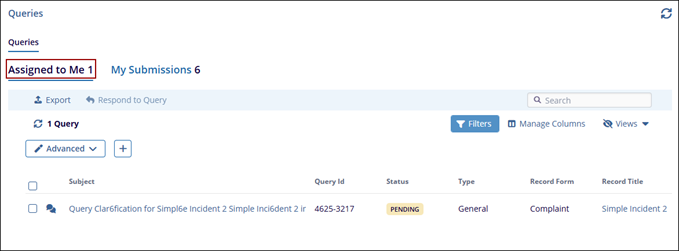
- My Submissions: This tab displays queries created by the current user.
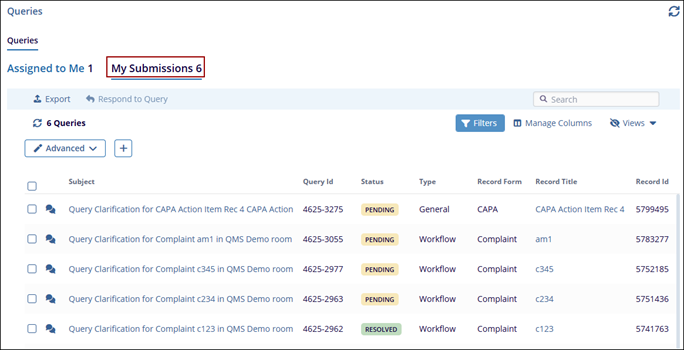
Within the Queries dashlet, users can perform the following actions in the two tabs.
Export Queries list
To export the list of queries, follow the steps below:
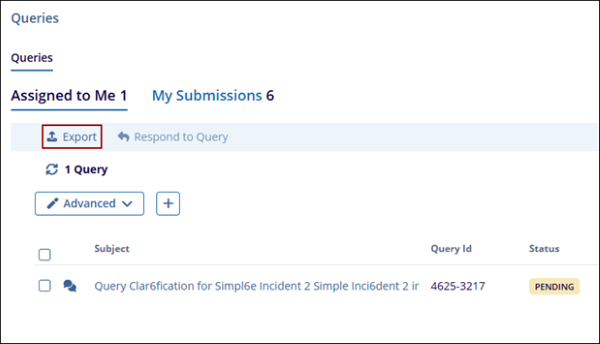
- Navigate to the Assigned to Me or My Submissions tab and click Export.
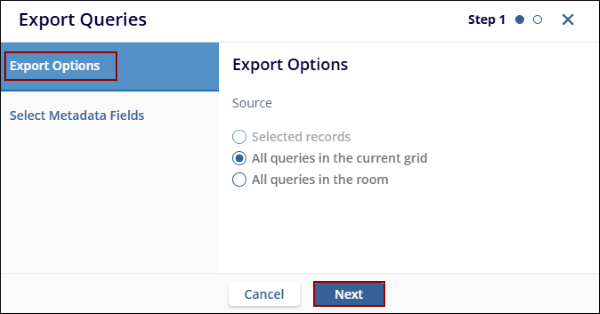
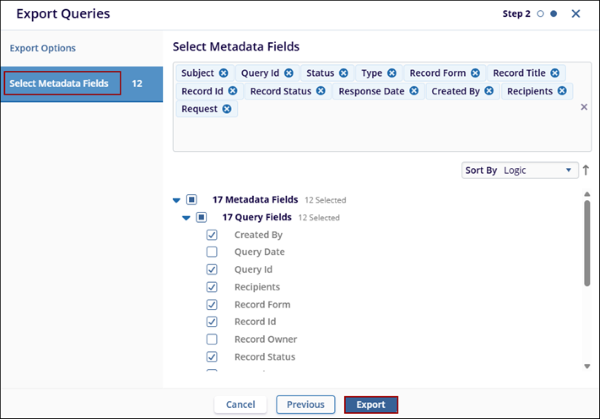
- On the Export Queries window, select the Source option and click Next.
- In Step 2, select the required metadata fields and click Export.
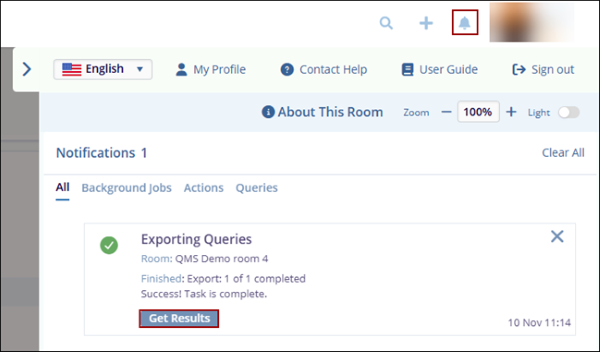
- Click the notifications (bell) icon and click ‘Get Results’ within the success message.
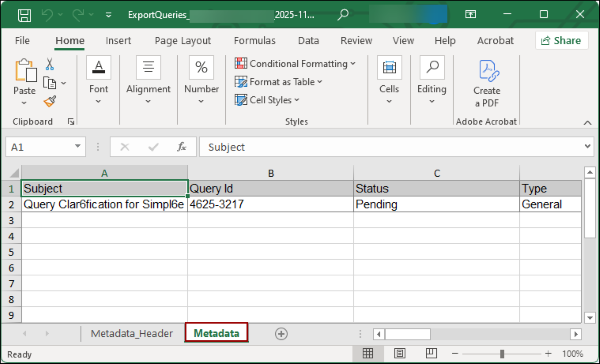
- An Excel file is downloaded into the system with the list of queries.
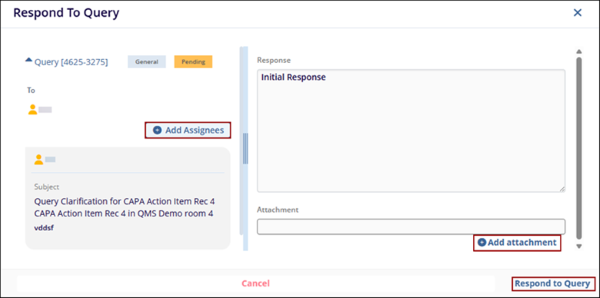
Respond to a Query
To respond to a query, follow the steps below:
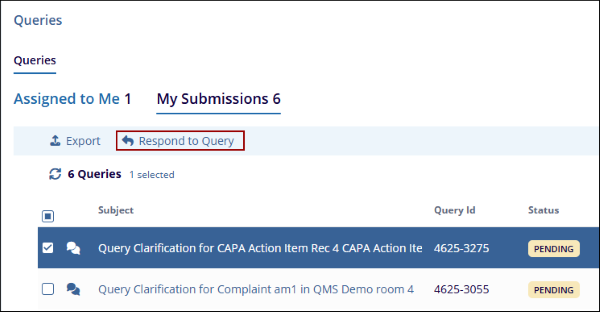
- Select a query from the list and click on the Respond to Query button.
- On the Respond To Query window, enter some content in the text box.
- Optionally, add an attachment and add additional assignees by clicking on the +Add attachment and +Add Assignees buttons, respectively.
- Click on the Respond to Query button.

TransPerfect’s Trial Interactive is an industry leader in practical, global eClinical innovation
PRODUCTS
 Linkedin
 X
X
Didn’t find what you need?
Our dedicated Project Management and Client Services team will be available to meet your needs
24 hours a day, 7 days a week.
Toll Free:
(888) 391-5111
help@trialinteractive.com
© 2025 Trial Interactive. All Rights Reserved

