
Set Up Dashboards
The Set-Up Dashboards allow users to customize their dashboards by adding, removing, or managing dashlets. Dashlets are individual components that display specific types of data or functionality on the dashboard, helping users personalize their view to highlight the most relevant information.
Steps to set up the dashboard.
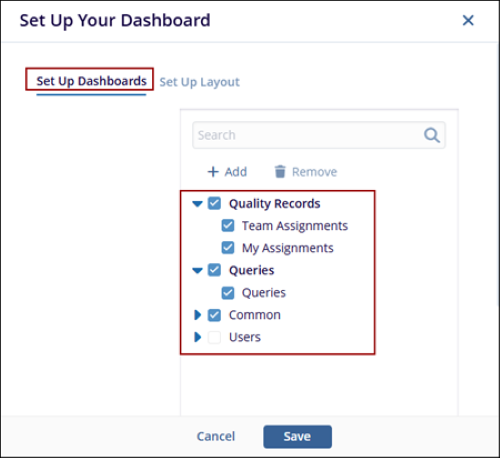
- The Set Up Your Dashboard window appears. By default, the Set-Up Dashboard option is displayed. Expand the fields using the arrow and select the required checkbox.
- Click the Save button, and the selected options are displayed as tabs within each
dashlet on the Dashboard.
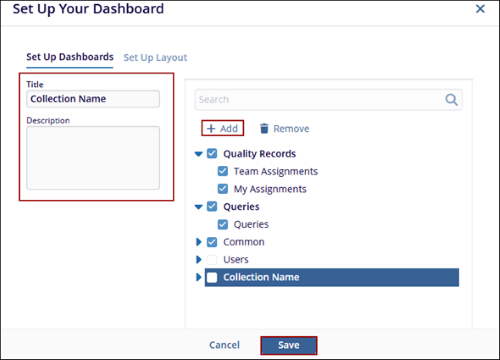
- Click on the Add button, and a new entry will appear under the list of available dashlet as (collection Name).
- Mention the Title and Description in their respective fields.
- Click the Save button at the bottom to apply the changes.

TransPerfect’s Trial Interactive is an industry leader in practical, global eClinical innovation
PRODUCTS
 Linkedin
 X
X
Didn’t find what you need?
Our dedicated Project Management and Client Services team will be available to meet your needs
24 hours a day, 7 days a week.
Toll Free:
(888) 391-5111
help@trialinteractive.com
© 2025 Trial Interactive. All Rights Reserved

