
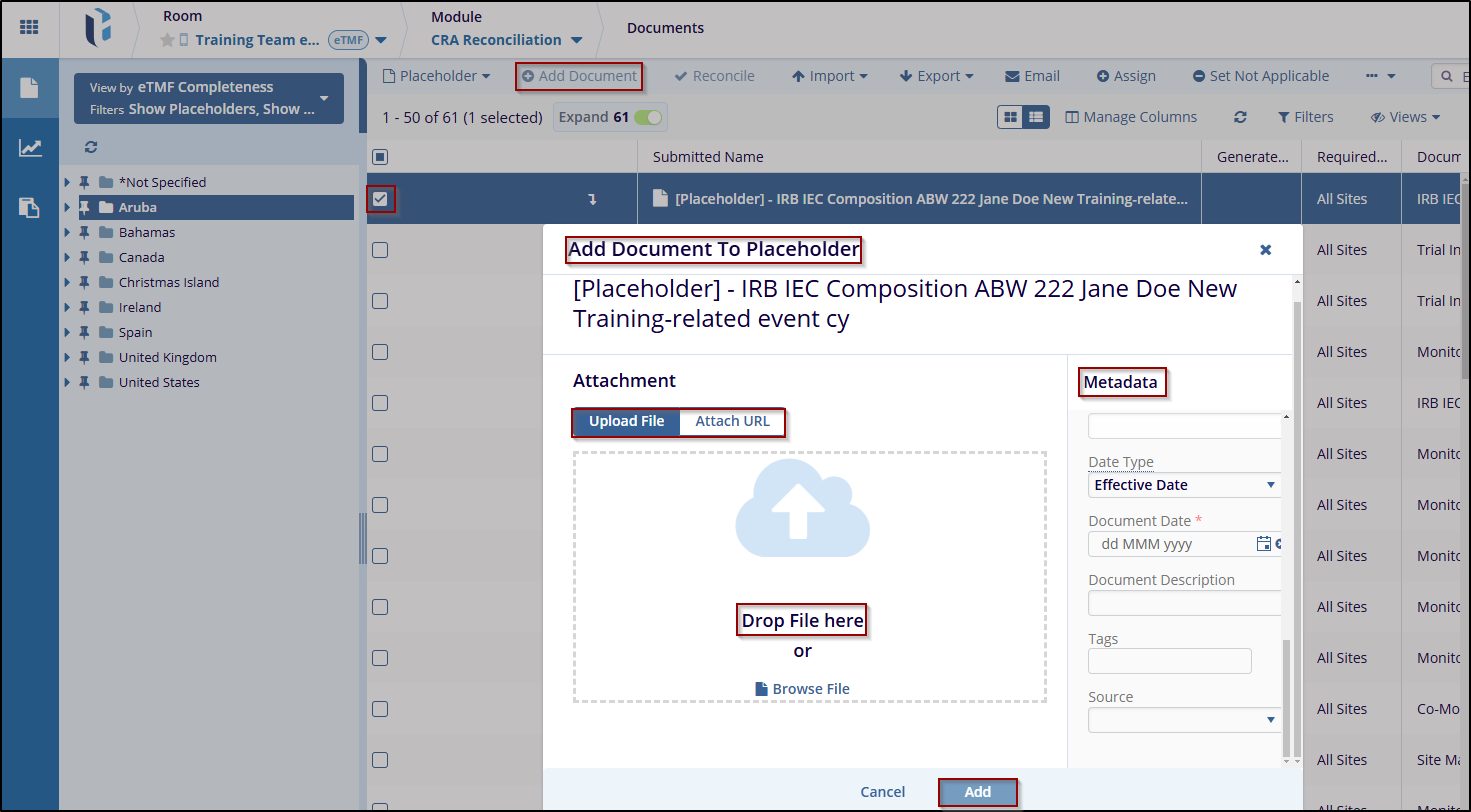
Add Document to Placeholder
The Add Document refers to uploading a document or attaching a URL, such as an eTMF (Electronic Trial Master File) document. These documents may include queries, audits, or any other files that need to be added to the placeholder.
To add a Document to a Placeholder, follow these steps:
- Click the Add Document button, and an Add Document to Placeholder window will appear.
- Upload a file or Drag and drop a File in the pop-up window. Complete the required metadata fields to add a document for the placeholder.
- Once metadata is filled, click the Add button to apply the changes.

 Linkedin
 X
X

