
View Documents By
Explore Job Aids for more help:
Job Aids
In the View Documents By filter, users can select a view for a documents review based on requirements.
To apply View Documents By filter, follow these steps:
- Navigate to the Documents section from the CRA Reconciliation module, at the top of the Index pane, click the View Document By dropdown menu.
- This dropdown menu allows users to choose how they want to view the documents.
- Select the available documents view: eTMF Completeness.
- Based on user requirements, select one of the options from View options.
- If the user needs to review, the user has the option to make their selection the
default view:
- Set Default: this will set the selected view as the default for the current session.
- Set Default for All Rooms: this will make the selection the default for all rooms, not just the current one.
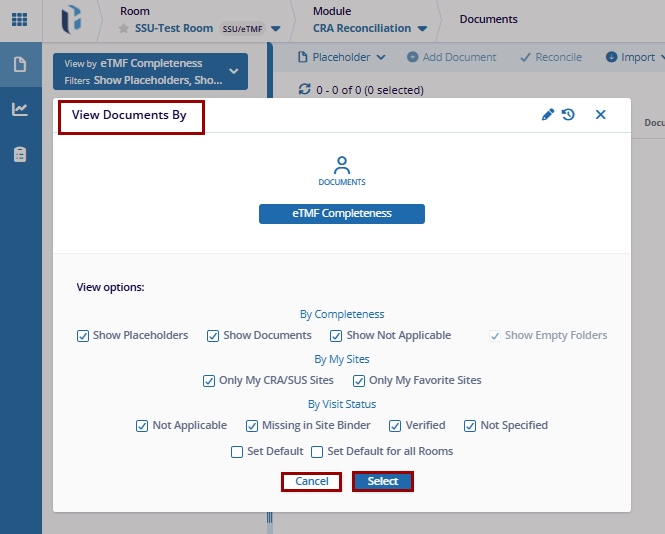
- After selecting the view documents by options, click Select to apply the changes, these changes will reflect at the top of the Index pane, or click the Cancel button to discard the changes.
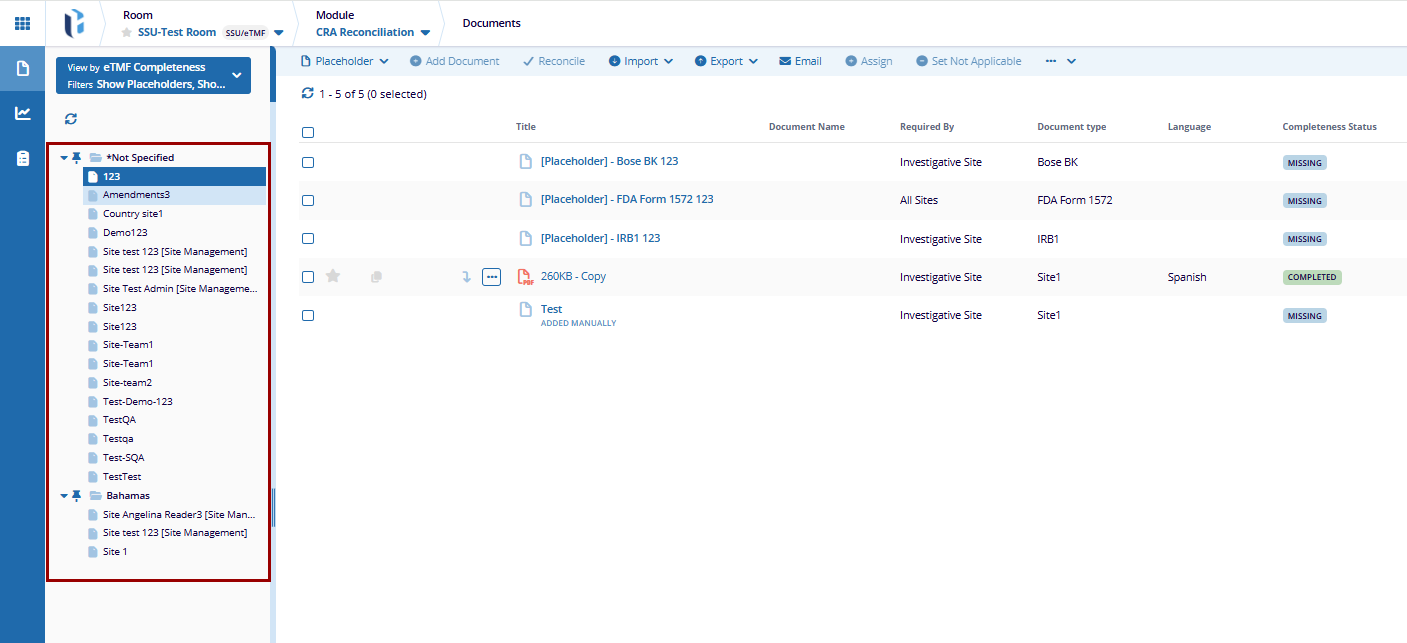
- After applying the selection from View Document by options, the user can see the
folder, based on the selections.

 Linkedin
 X
X

