
Quality Control
Quality control will primarily focus on workflows related to eTMF rooms. However, similar processes are also used across various TI Content Management room types. eTMF rooms typically follow a standardized one- or two-step QC review workflow, whereas Content Management rooms may involve multiple workflows based on site, sponsor, or other SOP requirements.
Due to potential challenges in designing and implementing workflows, its recommended to collaborate with the TI Support Desk regarding workflows. Workflows are created and managed in the Settings area of Trial Interactive. For more details, please refer to that section.
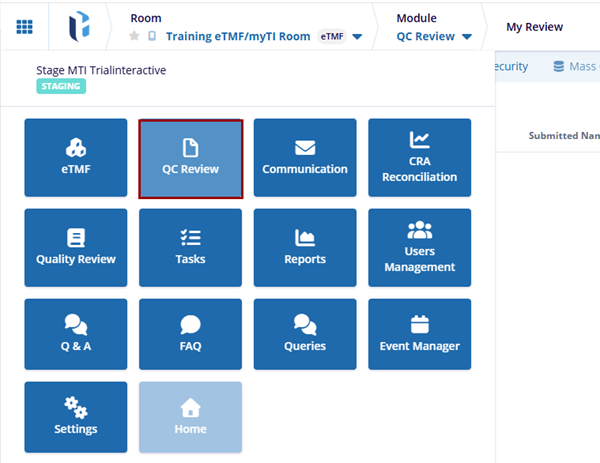
- Dashboard: The Dashboard is often the first screen users see and helps to navigate efficiently to various areas based on role.
- My Review: It allow users to claim, review, and finalize documents according to predefined workflows.
- Audit Trial: The section that tracks all actions taken during the review process.
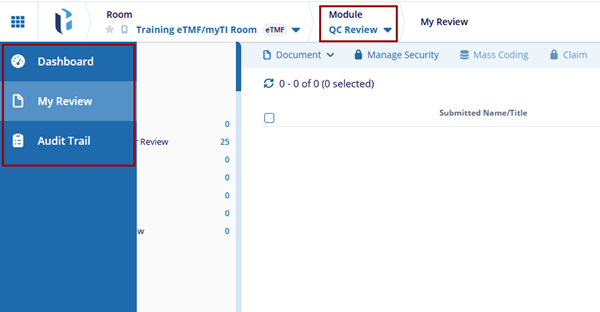
Quality Control Dashboard
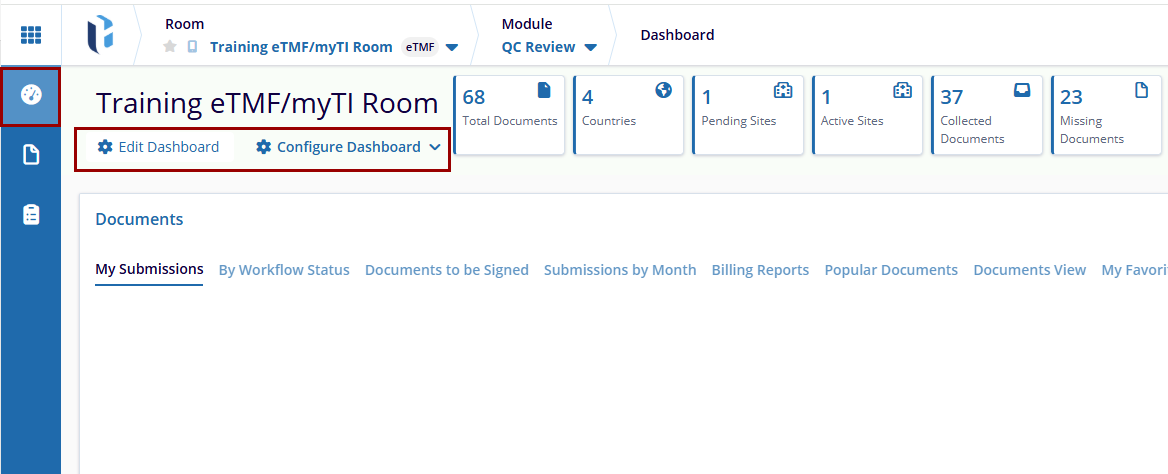
The Dashboard allows users to customize their workspace by adding, removing, or rearranging tabs based on user preferences. Administrator-level users can configure default dashboards for users according to the user access levels. Unless restricted, users can modify their dashboards to suit the user's needs.
The dashboard includes the following edit options:
- Edit Dashboard:
The Edit Dashboard allows users to customize the dashboard by adding or removing tabs, reorganizing layout options, and customizing the dashboard to show the information that is most important to the user. It ensures a personalized view for better accessibility of required data.
- Configure Dashboard:The Configure Dashboard helps the user to arrange the dashboard as required based on the role.
Refer to the Dashboard from the eTMF Module for a more detailed description of these options.

 Linkedin
 X
X

