
Associate an Address to Organization
To associate an address with the organization, follow the steps below.
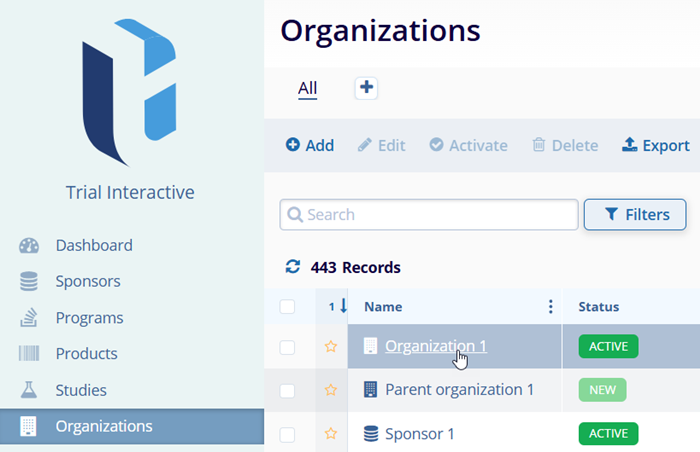
- Click on the Organizations tab located in the navigation link on the left side of the screen.
- On the organization tabs, locate the organization to associate an address with and click
on the organization’s name.
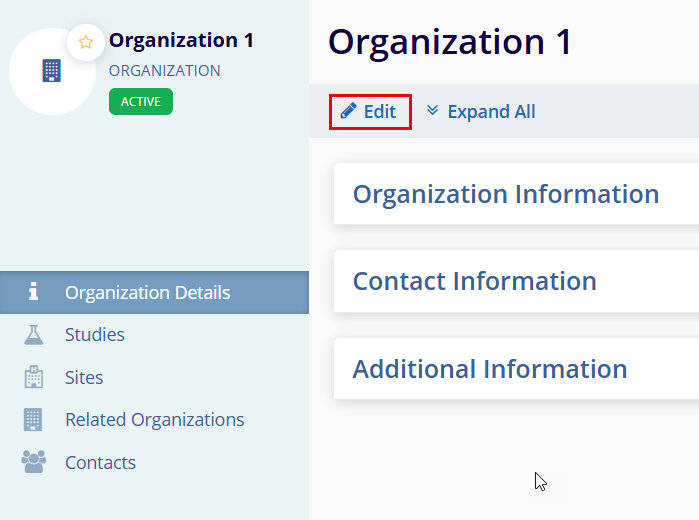
- Access the Contact Information section and click the Edit button on the
Organization detail page.
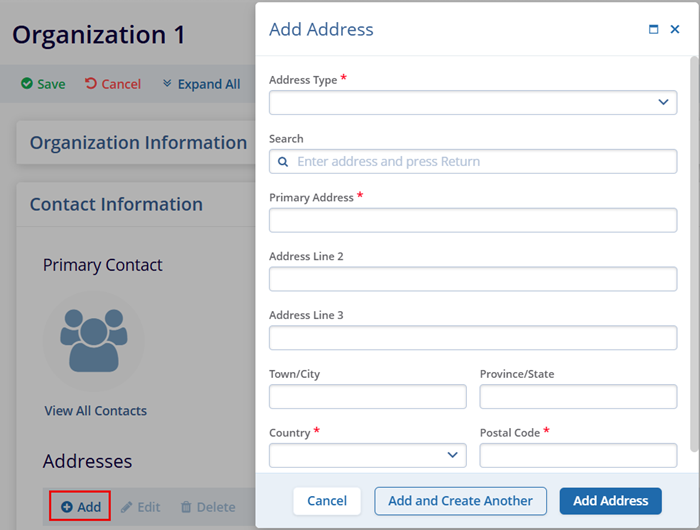
- Click on the +Add button in the Addresses section.
- Enter the mandatory metadata Address Type, Primary Address, Country, and Postal Code which has an asterisk (*) symbol next to the field title. Enter any additional information, as per the requirement.
- Access the following two options to add addresses:
- Add and Create Another: This option allows adding the current address and immediately start creating another one.
- Add Address: This option allows creating only the address you are currently working
on.
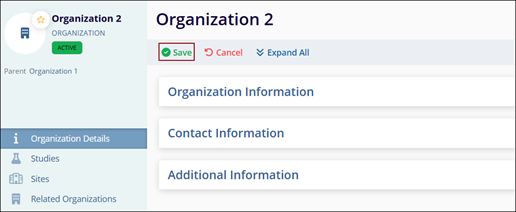
- Click ‘Save’ once all changes are done.

TransPerfect’s Trial Interactive is an industry leader in practical, global eClinical innovation
PRODUCTS
 Linkedin
 X
X
Didn’t find what you need?
Our dedicated Project Management and Client Services team will be available to meet your needs
24 hours a day, 7 days a week.
Toll Free:
(888) 391-5111
help@trialinteractive.com
© 2025 Trial Interactive. All Rights Reserved

