
Only Office Plugins
The OnlyOffice Workspace is a robust productivity suite featuring word processing, spreadsheets, presentations, and collaboration tools. These tools are essential for streamlining organizational processes. Plugins, as integrated extensions, add extra functionality to the software, allowing users to customize and expand OnlyOffice's capabilities to meet specific needs.
Note: To access the plugins, check out a document for online editing and
navigate to the Plugins menu in the toolbar at the top of the document viewer while in
editing mode.
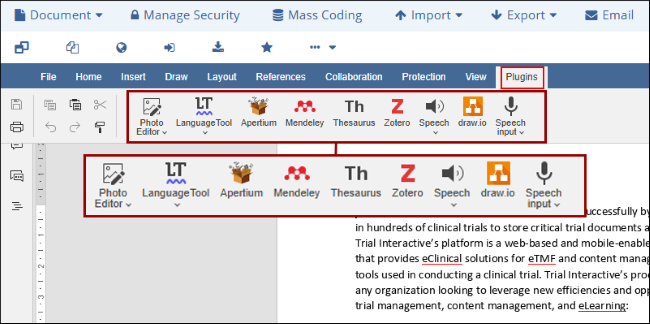
List of Only Office Plugins
Trial Interactive now supports the use of various plugins within OnlyOffice, enabling users to integrate additional features and functionalities directly into the platform.
Important
- To access the ONLYOFFICE Docs user guide, Click here
- To access the ONLYOFFICE Document Editor user guide, Click here
- To access the ONLYOFFICE Spreadsheet Editor user guide, Click here
Draw.io
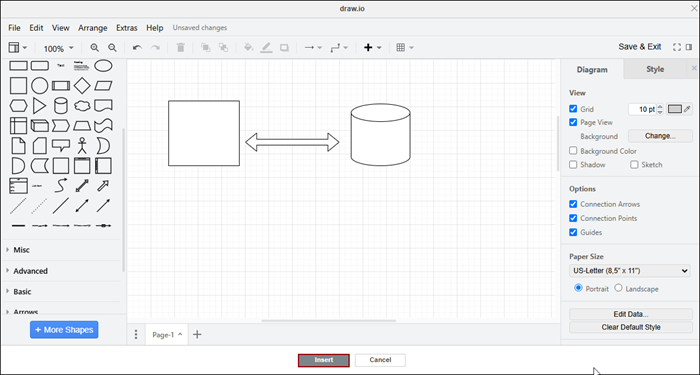
The Draw.io plugin for OnlyOffice allows users to create and edit diagrams, flowcharts, mind maps, and other visual representations. The plugin integrates draw.io, an open-source diagramming application that allows users to create a wide variety of diagrams: flow charts, mind maps, Venn diagrams, infographics, network and architecture diagrams, UML diagrams, etc. Ideal for project management, software design, and business documentation, the Draw.io plugin boosts productivity by keeping all the visual and textual content in one place. This way, users can work with such diagrams without leaving the editor interface or launching any additional applications.
Apertium
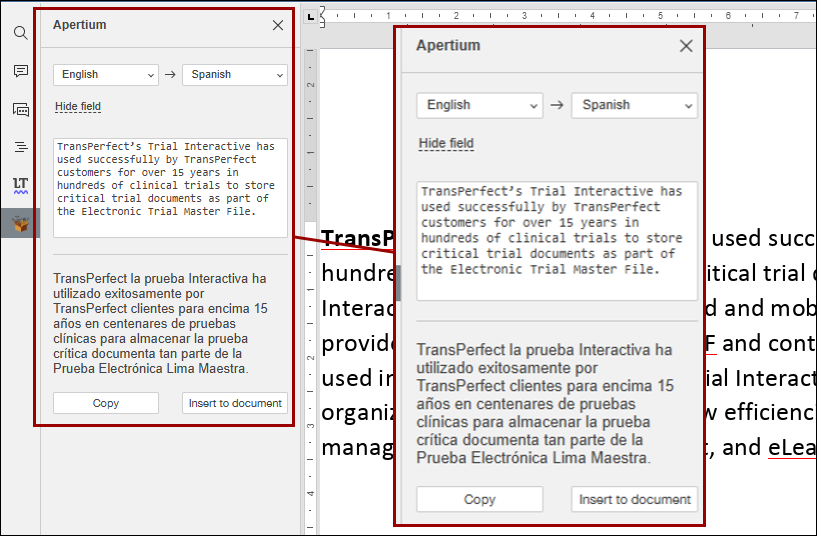
The Apertium plugin for OnlyOffice offers a robust, open-source machine translation tool supporting multiple languages. This free platform allows users to translate text seamlessly within documents, making it an excellent solution for businesses and teams collaborating across languages.
Zotero
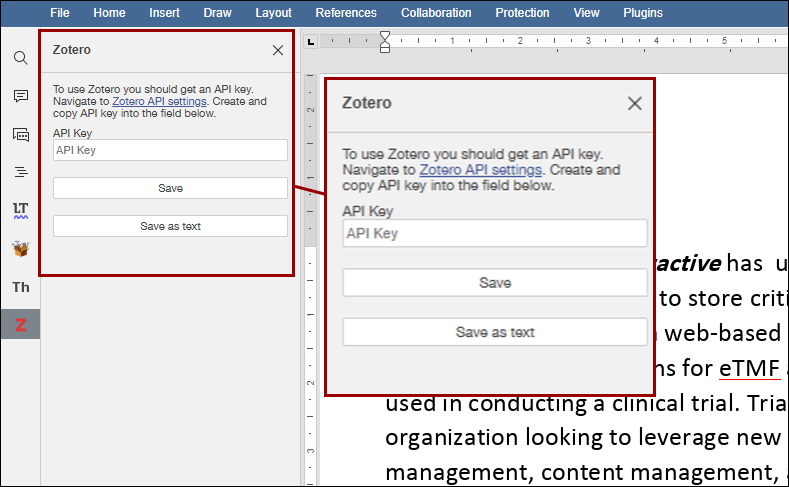
Zotero is a free, open-source reference management tool designed to act as the personal research assistant. It helps you collect, organize, cite, and share research sources with ease. The Zotero plugin for OnlyOffice integrates this powerful tool directly into the document editor, enabling seamless management of references while working on documents. With Zotero, users can save references from library catalogs, research databases and websites. Additionally, users can add PDFs, images, audio and video files, snapshots of webpages, and write annotations and attach them to the citations. Users can also create bibliographies using a wide range of major citation styles.
Thesaurus
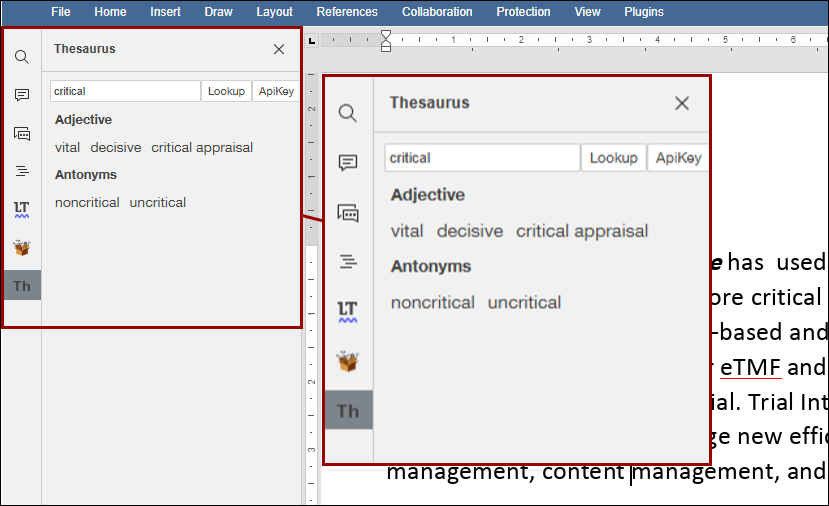
The Thesaurus plugin for OnlyOffice allows users to easily find and replace words with synonyms directly within the editor. This enhances vocabulary and improves writing quality by providing quick access to word alternatives, enabling more refined and diverse content without leaving the workspace.
Talk
Talk is an instant messenger that provides real-time communication between co-workers. It offers all the traditional features a user can expect from a messenger i.e., history archiving, file transfer, multi-user chat support, search function and emoticons etc.
Photo Editor
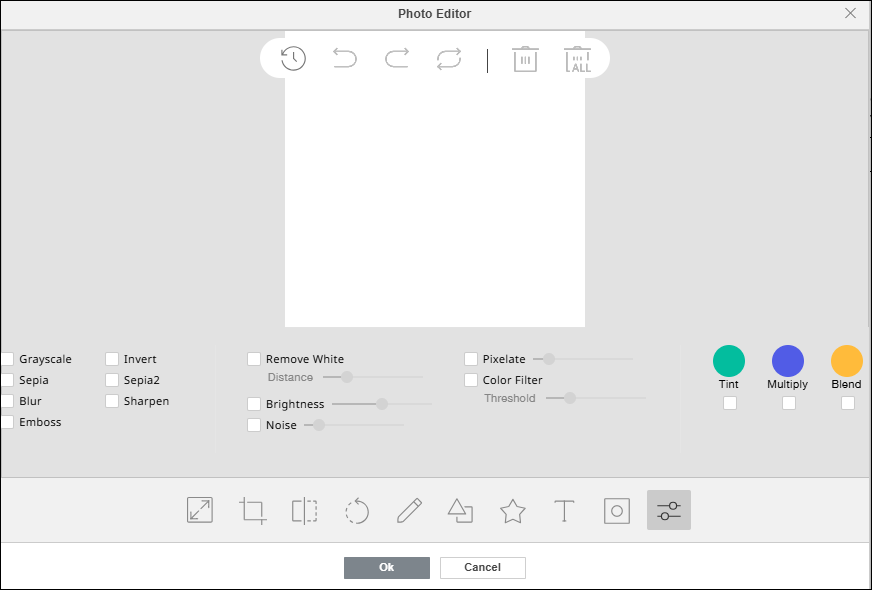
The Photo Editor plugin for OnlyOffice enables users to edit images directly within the document editor. It offers features like cropping, resizing, flipping, rotating, drawing lines and shapes, adding icons and text, applying masks, and using filters such as Grayscale, Invert, Sepia, Blur, Sharpen, and Emboss, simplifying the process of enhancing visuals.
Mendeley
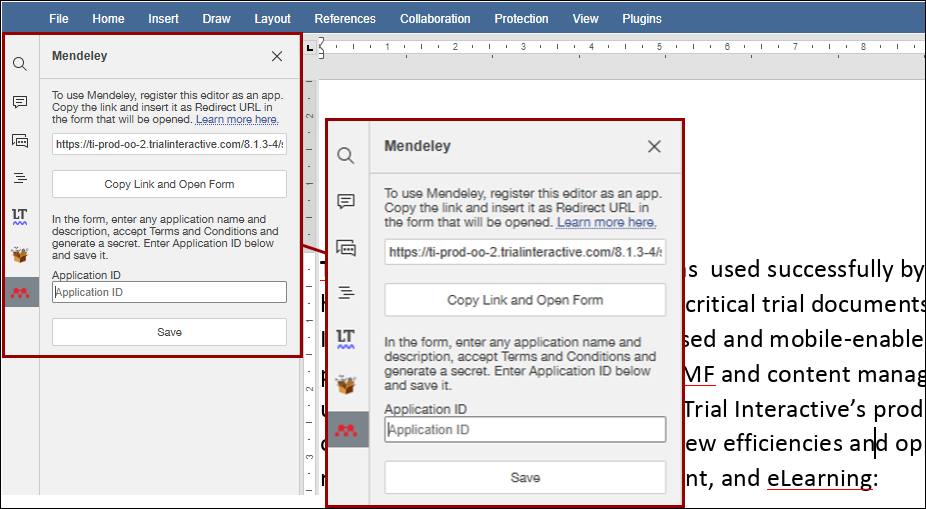
The Mendeley plugin for OnlyOffice integrates a powerful reference management tool allowing users to insert citations, manage references, and create bibliographies seamlessly. This plugin streamlines the citation process and ensures accurate referencing directly within documents.
Auto Complete
The AutoComplete plugin for OnlyOffice enhances productivity by predicting and suggesting words or phrases as users go on typing. The AutoComplete helps save time, reduces errors, and ensures consistent terminology, making it particularly useful for repetitive tasks or handling professional documents efficiently.
Language Tool
The LanguageTool plugin for OnlyOffice provides advanced grammar, style, and spell-checking capabilities in multiple languages. It helps users improve the quality of their writing by identifying errors and suggesting corrections directly to the editor, ensuring polished and professional documents with ease.
To use the language tool, highlight the text, select the Language Tool plugin from the top toolbar, and click the Start button.

Speech
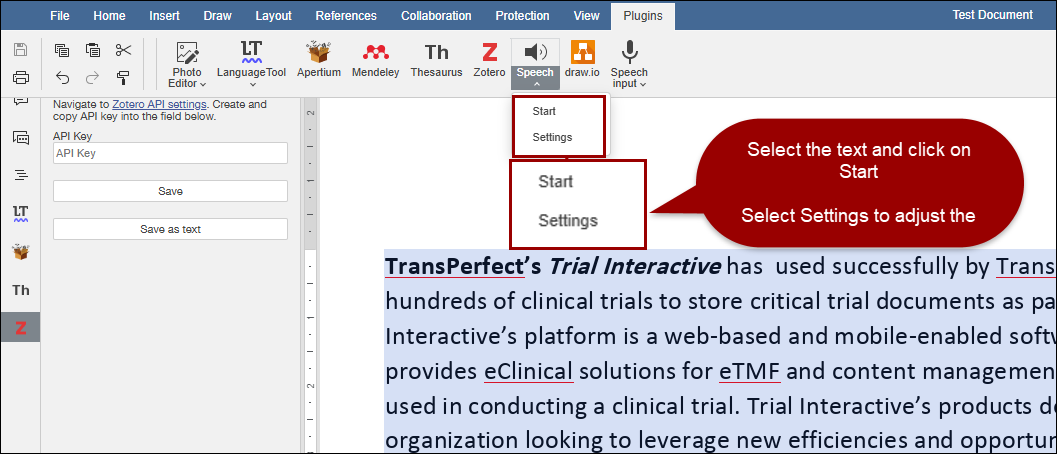
Speech: The Speech plugin for OnlyOffice converts text to speech, enabling users to listen to their documents being read aloud. This feature is ideal for proofreading, accessibility, and multitasking, helping users catch errors, improve content flow, or review documents hands-free directly within the editor.
Speech Input
The Speech Input plugin in OnlyOffice enables users to convert speech into text effortlessly. The Web Speech API recognizes spoken words and inserts them directly into documents, streamlining productivity and minimizing typing effort. The plugin supports multiple languages, including English, French, German, Italian, Spanish, Portuguese, Turkish, Chinese, and more.

© 2025 Trial Interactive. All Rights Reserved

