
Pending Trainings
The Pending Trainings dashlet displays courses and learning plans that are assigned to the user and are in the Not Started and In Progress statuses. It also provides access to the All Trainings page, where users can see the complete list of courses and learning plans assigned to them, regardless of their status.
To access the functionalities of the Pending Trainings Tab, follow the steps below:
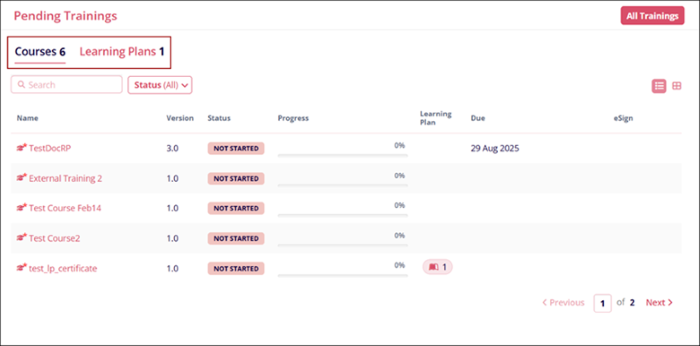
- Toggle between the Courses and Learning Plans tabs to view the courses with Not Started
and In Progress statuses, respectively.
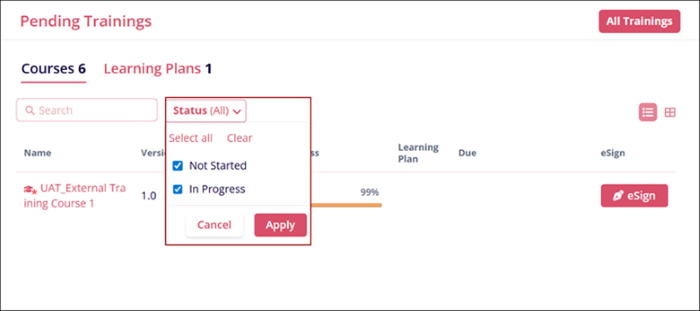
- Click the Status dropdown, then select Not Started or In Progress, and click the
Apply button to filter the dashlet accordingly.
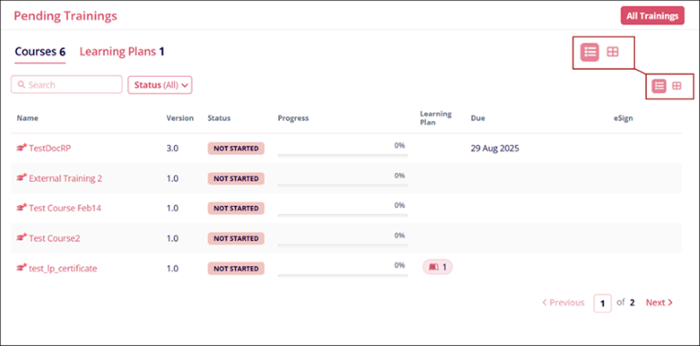
- Select List or Grid view to switch the layout to list or card format,
respectively.
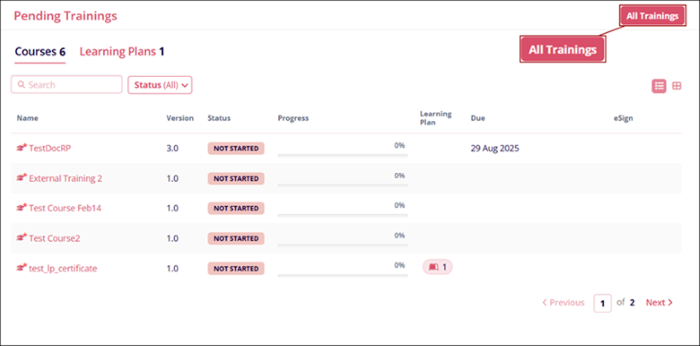
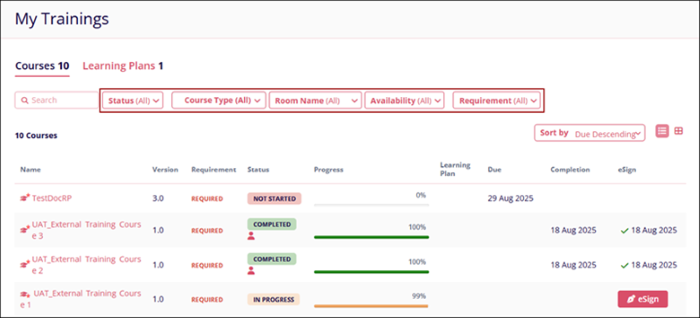
- Click on the All Trainings button.
- The My Trainings page displays all courses and learning plans irrespective of their
statuses into their respective tabs with additional filters.

TransPerfect’s Trial Interactive is an industry leader in practical, global eClinical innovation
PRODUCTS
 Linkedin
 X
X
Didn’t find what you need?
Our dedicated Project Management and Client Services team will be available to meet your needs
24 hours a day, 7 days a week.
Toll Free:
(888) 391-5111
help@trialinteractive.com
© 2025 Trial Interactive. All Rights Reserved

