
CRA Visit Types
The visit types configured in this section are available to CRA users in the CRA Reconciliation module. When creating a CRA TMF Reconciliation Report, the CRA must select a visit type to ensure reports from multiple site visits can be easily distinguished.
Follow the steps to Add, Edit, and Delete the CRA Visit Type:
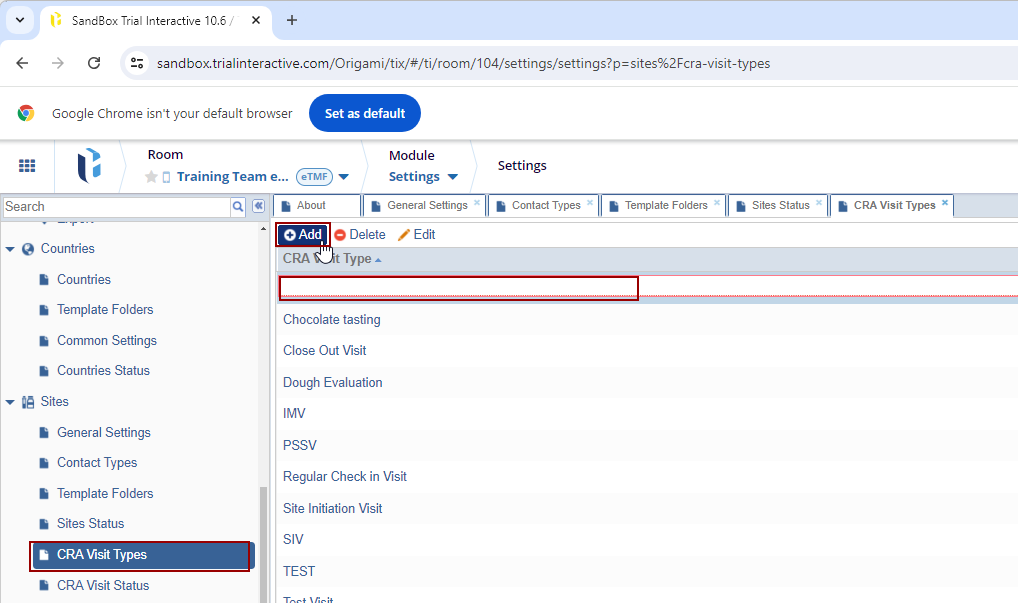
- Click Add, the CRA Visit Type field gets enabled. Enter the name and hit Enter.
- Type in the desired term and press Enter.
- Changes made here are saved automatically.
- These visit types automatically appear in the dropdown while
creating the CRA TMF Reconciliation Report.
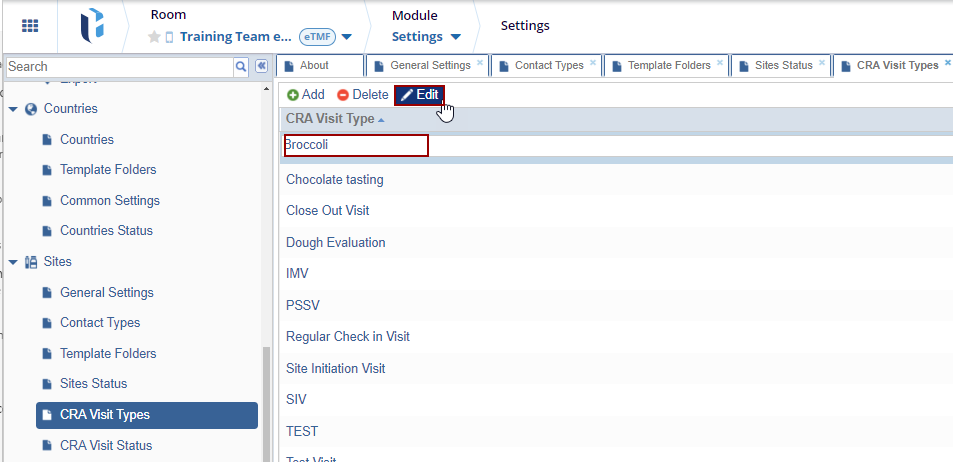
- To edit a visit type, double-click the visit type, or select it
and click the Edit button from the toolbar
above.
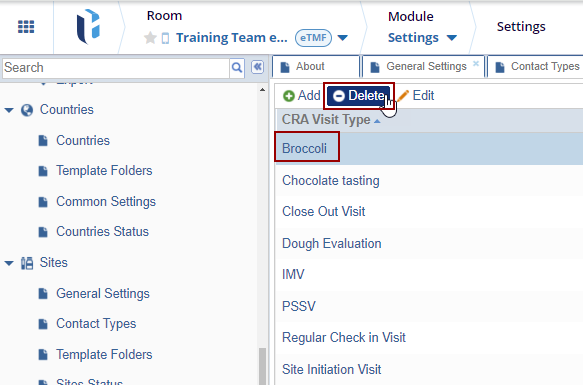
- To delete a visit type, select the visit type and click Delete from the toolbar above.
Additions and changes made here are saved automatically.

 Linkedin
 X
X

