
Manage the Security of Sites
To manage security settings for sites, follow the steps below.
-
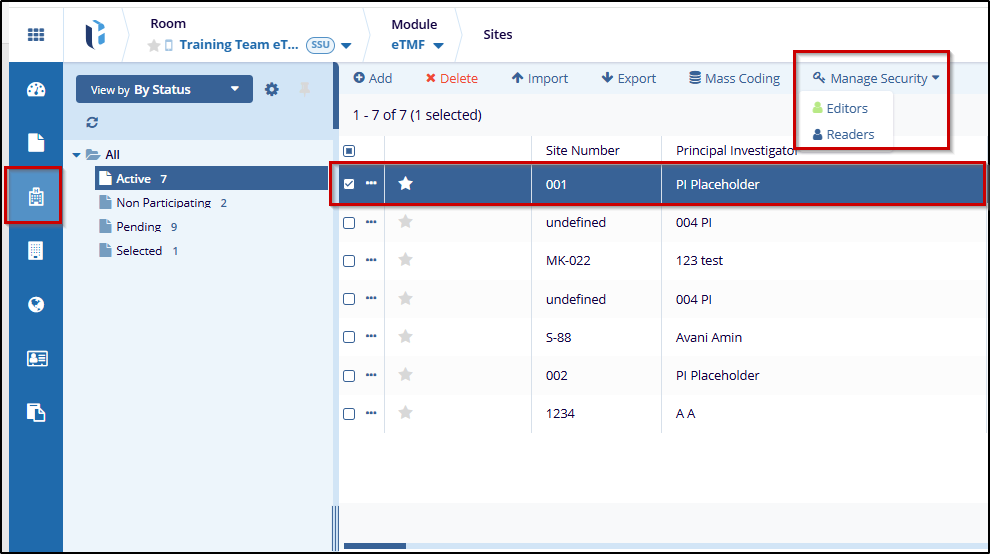
Check the box next to the site to manage security settings.
- Click on the Manage Security button at the top
of the screen, and choose either Editors or
Readers to manage permissions.
-
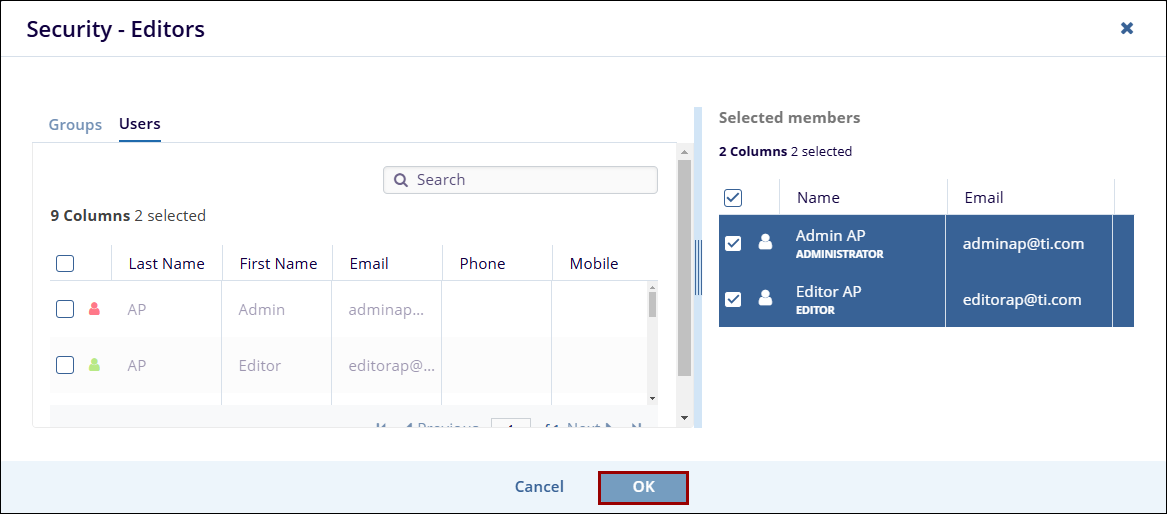
In the Security - Editors or Security - Readers dialog, switch to the Users or Groups tab.
-
Select the user(s) or group (s) by checking the box next to their name in the user list and add them to the Selected Members section.
- Click on the OK button.
-
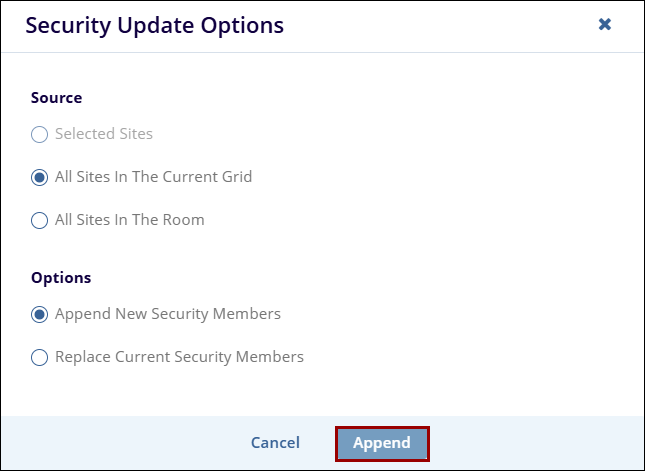
On the Security Update Options pop-up, select the options by clicking on their respective radio buttons.
- Source
- Selected Sites
- All Sites In The Current Grid
-
All Sites In The Room
- Options
- Append New Security Members
-
Replace Current Security Members
- Source
- Once the necessary, click on the Append (for append new security members) or Replace (for replace current security members) button.

 Linkedin
 X
X

