
View Translation Requests
Follow the steps below to view the translation request:
- Navigate to Module → Translations.
- All submitted requests are displayed under View by Status on the left panel.
- Based on the request status, the document will appear in one of the following
folders:
- Pending – Requests successfully created and waiting for processing.
- Request Error – Requests that failed and require correction.
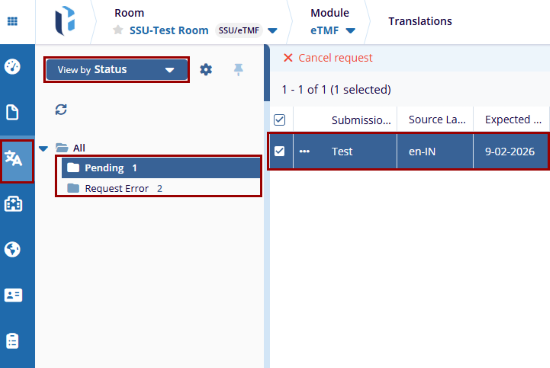
- Selecting any folder displays the related translation requests in the main grid.

 Linkedin
 X
X

