
Study Milestone
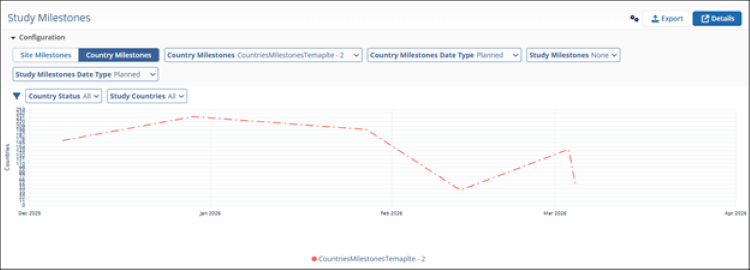
The Study Milestones dashlet helps users track study progress by comparing site or country level milestones against overall study milestones. This allows teams to quickly identify whether individual sites or countries are on track to meet key study deadlines.
Users can perform the following actions on the Study Milestones Dashlet.
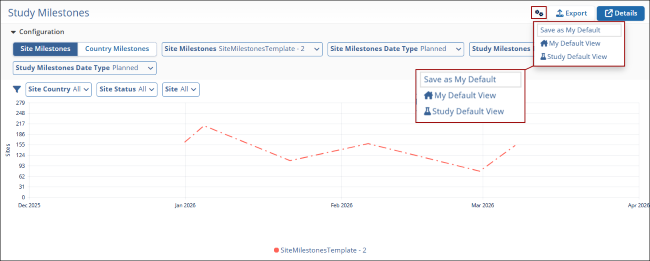
- Click on the gear icon and select an option to customize the dashlet view
- Save as My Default
- My Default View
- Study Default View
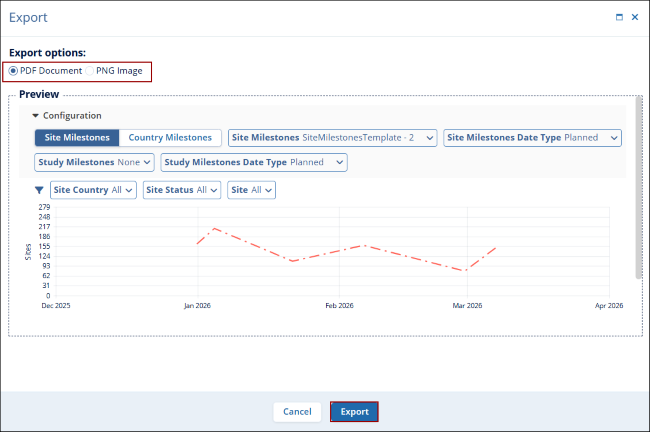
- Click Export to download dashlet as a PNG Image or PDF Document.
- Click Details to open the dashlet in a new window.

TransPerfect’s Trial Interactive is an industry leader in practical, global eClinical innovation
PRODUCTS
 Linkedin
 X
X
Didn’t find what you need?
Our dedicated Project Management and Client Services team will be available to meet your needs
24 hours a day, 7 days a week.
Toll Free:
(888) 391-5111
help@trialinteractive.com
© 2025 Trial Interactive. All Rights Reserved

