
Create Domain Activity Plan Template
Explore Job Aids for more help:
Job Aids
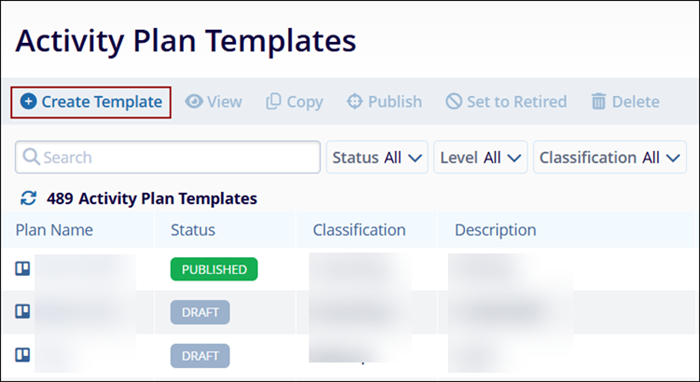
To create a Domain Library Activity Template, follow the steps below.
- On the Activity Plan Templates screen, click on +Create
Template.
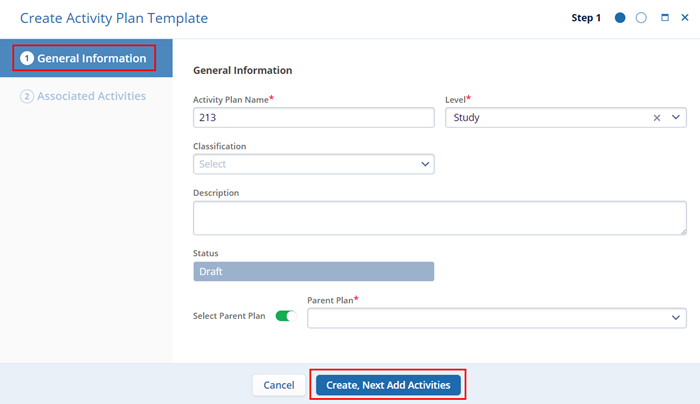
- On the General Information screen, fill in the following
details
- Activity Plan Name*: Enter a name for the Activity Plan
- Level*: Select whether the template is to be created at the Study, Country, or Site level.
- Classification: Select the classification criterion from the available dropdown options.
- Description: Enter a suitable description for the Activity plan
- Status: By default, the template will be in Draft status.
- Select Parent Plan: Switch the toggle and select a Parent Plan* from the
available dropdown options. Note: Fields highlighted with a red asterisk (*) mark require a mandatory update.
- Click on Create, and Next Add Activities button once all the details are
added.
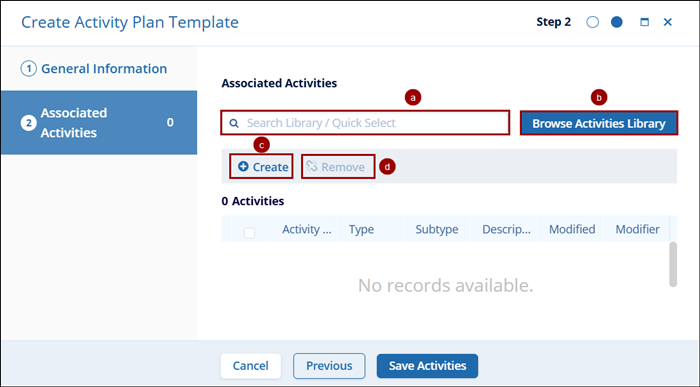
- On the Associated Activities screen, perform the following to
complete the Domain Library Activity Template creation.
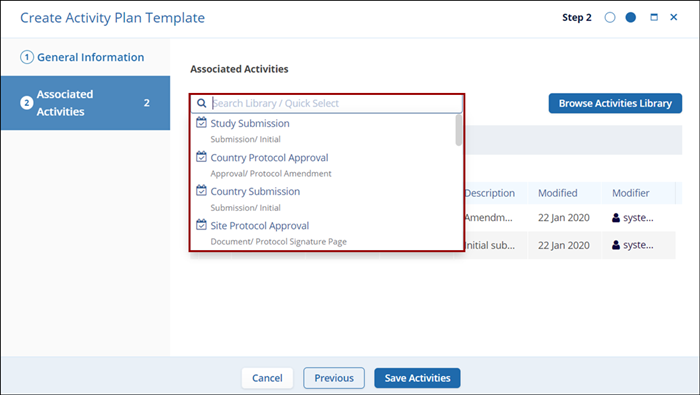
- Search Library/Quick Select: Click on the search box and select the library to
add it to the template. Once the library name is selected it gets added to the
Associated Activities list.
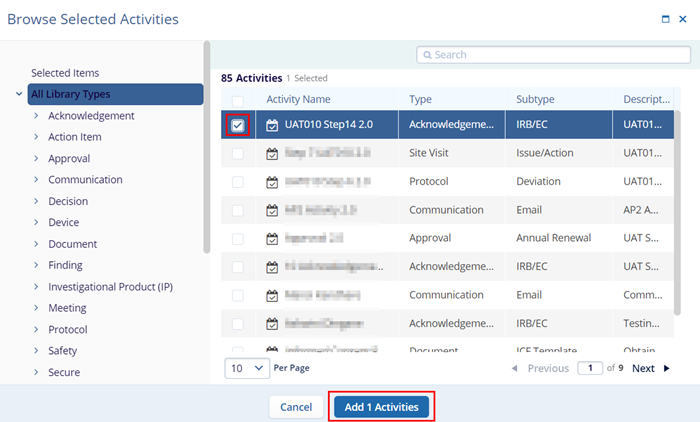
- Browse Activities Library: Click on the Browse Activities Library button to get a
list of all library types. Click on the required library’s checkbox to select and click
on the Add (number of activities) Activities button.
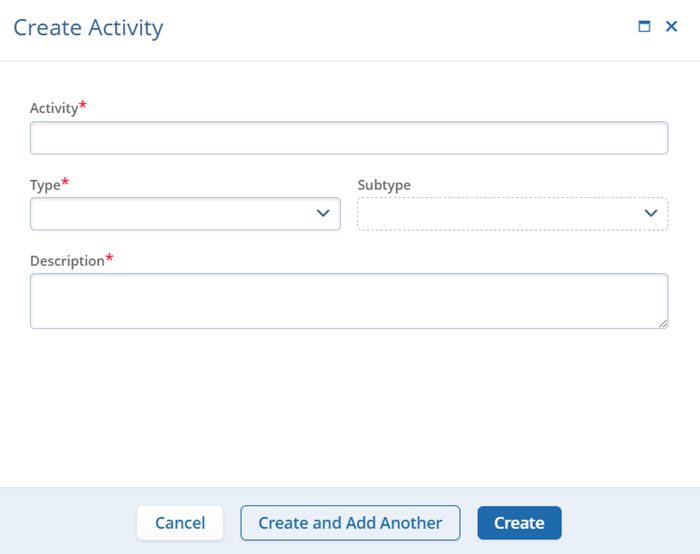
- Create Activity: Click on +Create to create a new activity and enter the
mandatory details into their respective fields.
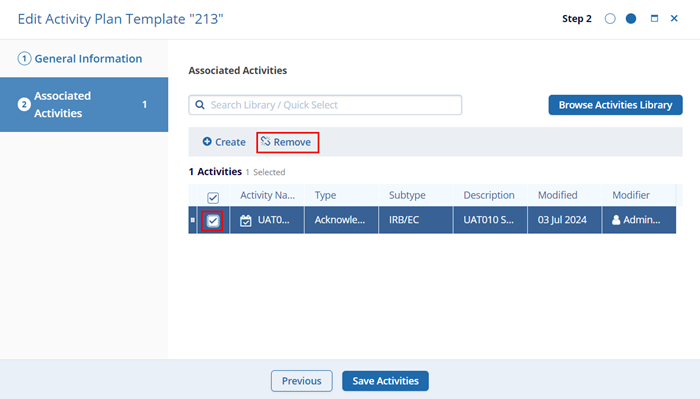
- Remove Activity: Click on the checkbox of activity to remove it and click the
Remove Activity button to discard it from the template.
- Search Library/Quick Select: Click on the search box and select the library to
add it to the template. Once the library name is selected it gets added to the
Associated Activities list.
- Once all the details are entered click on the Save Activities button.

TransPerfect’s Trial Interactive is an industry leader in practical, global eClinical innovation
PRODUCTS
 Linkedin
 X
X
Didn’t find what you need?
Our dedicated Project Management and Client Services team will be available to meet your needs
24 hours a day, 7 days a week.
Toll Free:
(888) 391-5111
help@trialinteractive.com
© 2025 Trial Interactive. All Rights Reserved

