
Edit Activity Plan Templates
Explore Job Aids for more help:
Job Aids
To edit an Activity Plan Template, follow the steps below:
Method 1
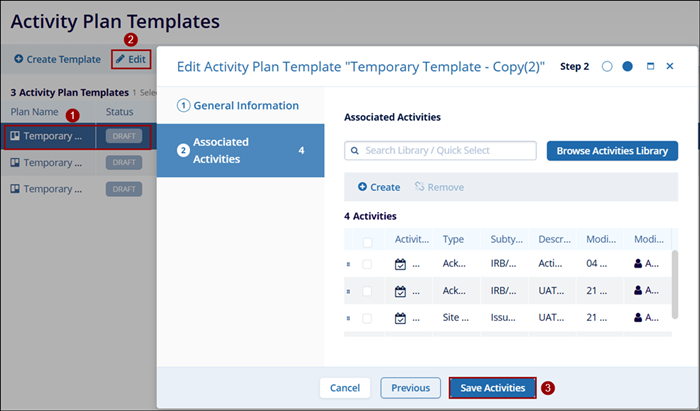
- Select a plan with DRAFT status by clicking on the plan tile.
- Click on the Edit icon from the top menu bar.
- On the Edit Activity Plan Template Window, access the General Information and Associated
Activities screen to make edits and save the changes.
Note:
Do not click on the plan name since it directly opens the Edit Activity Plan Template screen which is another method to edit an activity plan.
Method 2
- Select an activity plan by specifically clicking on the plan name.
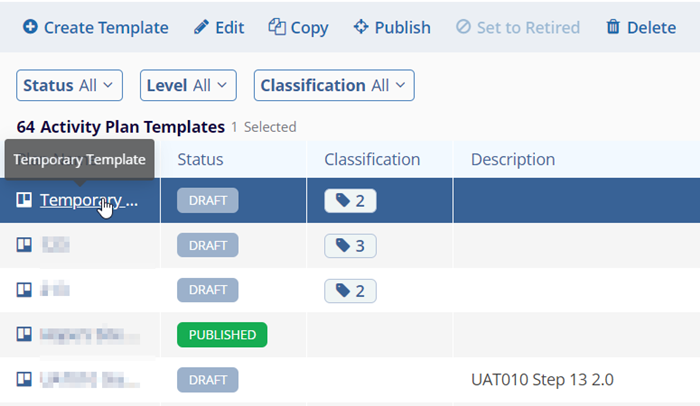
- Click on the Edit (Pencil) icon on the View Activity Plan Template.
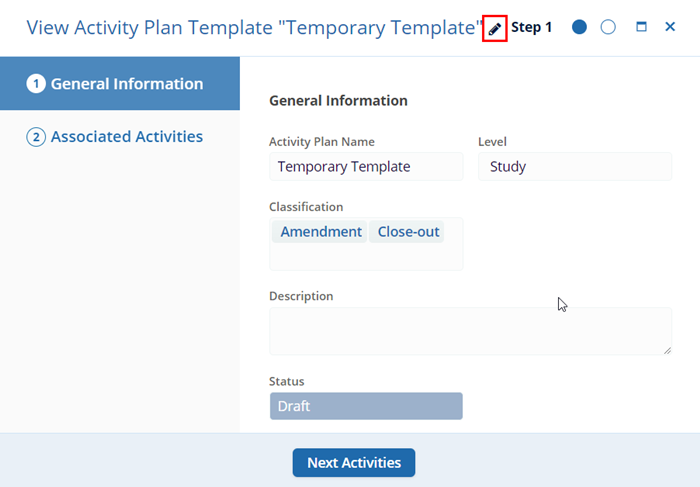
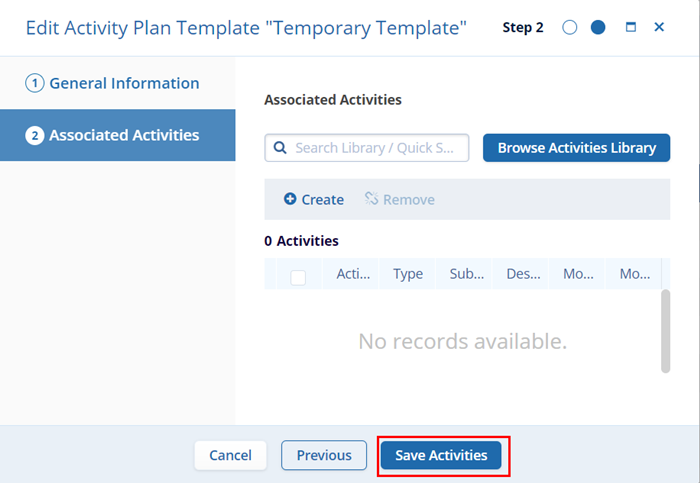
- On the Edit Activity Plan Template Window, access the General Information and Associated
Activities screen to make edits and save the changes.

TransPerfect’s Trial Interactive is an industry leader in practical, global eClinical innovation
PRODUCTS
 Linkedin
 X
X
Didn’t find what you need?
Our dedicated Project Management and Client Services team will be available to meet your needs
24 hours a day, 7 days a week.
Toll Free:
(888) 391-5111
help@trialinteractive.com
© 2025 Trial Interactive. All Rights Reserved

