
Customize Milestone Groups screen
Users can apply filters and sorting criteria, as well as customize the screen view of the selected milestone group.
Filters
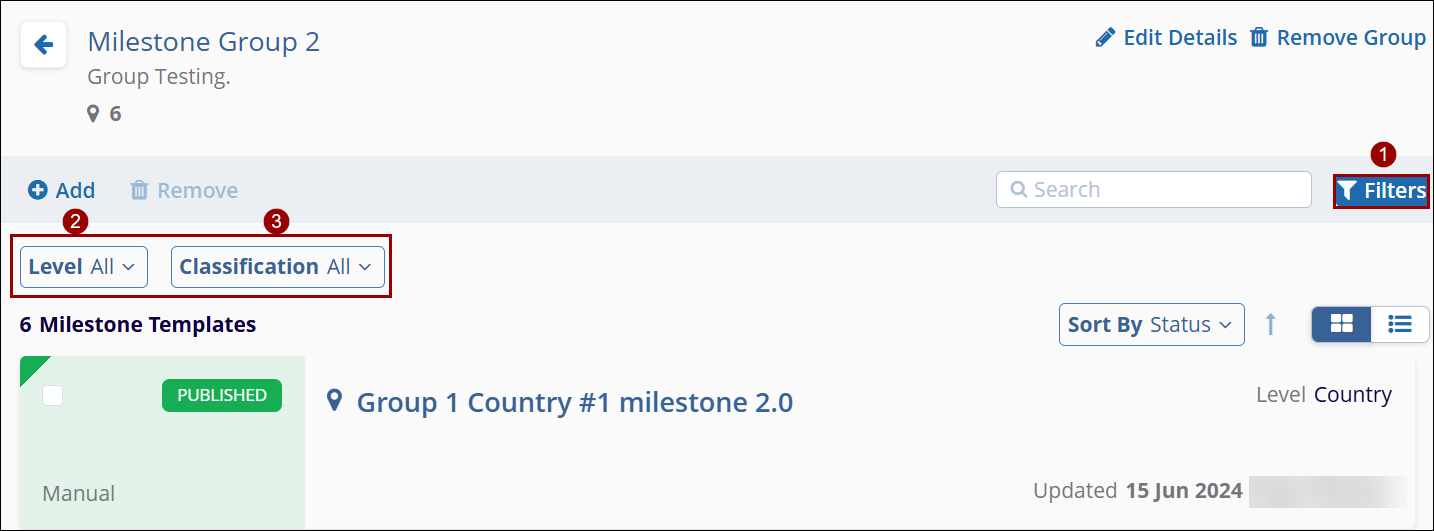
The Milestone Group screen displays milestones created at the country, Site, and study levels.
To apply filters, follow the steps below
- Click on the Level dropdown and select the appropriate option.
- Click on the Classification dropdown and select the required option.
Sorting
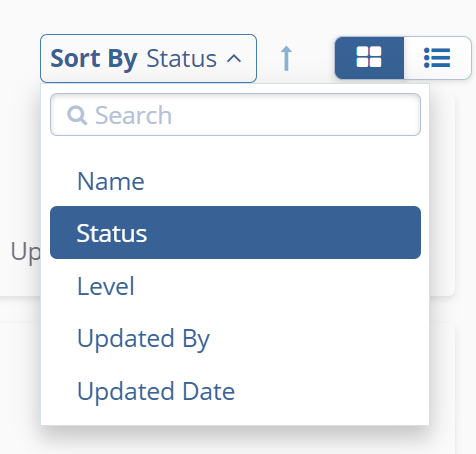
To sort the screen, follow the steps below
- Click on the Sort By dropdown and select the appropriate sorting criteria. By default, the Status sorting criteria are applied.
- Click on the arrow to sort the screen in ascending or descending order.
View
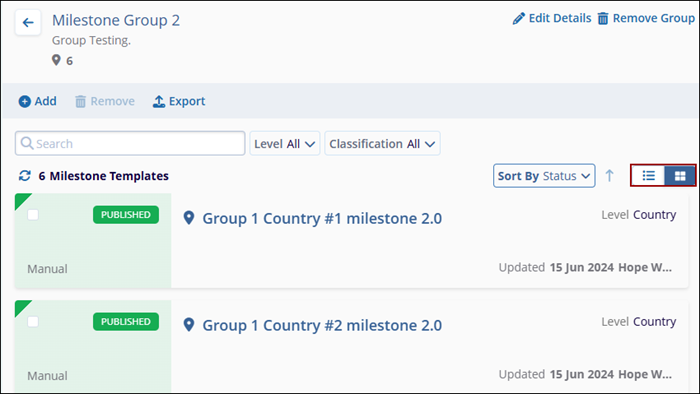
To customize the screen view, follow the steps below
- Navigate to the screen customization icons situated beside Sort By dropdown.
- Select either Grid View or List View.
Note: By default, Grid View is selected.

TransPerfect’s Trial Interactive is an industry leader in practical, global eClinical innovation
PRODUCTS
 Linkedin
 X
X
Didn’t find what you need?
Our dedicated Project Management and Client Services team will be available to meet your needs
24 hours a day, 7 days a week.
Toll Free:
(888) 391-5111
help@trialinteractive.com
© 2025 Trial Interactive. All Rights Reserved

