
Site Visits
The Site Visits dashlet provides users a centralized location to view the list of site visits where the user is a Site Visit Owner. Additionally, users can perform the following on the Milestones dashlet.
- Access and review a cross-study site visit listing.
- Apply filters within the cross-study site visit list.
- Pull in custom fields within the cross-study site visits view.
- Retrieve an export of all records from the cross-study site visits view.
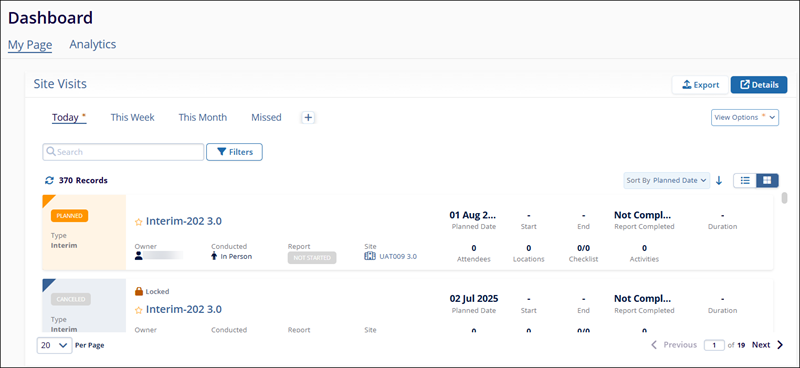
Site Visits Views
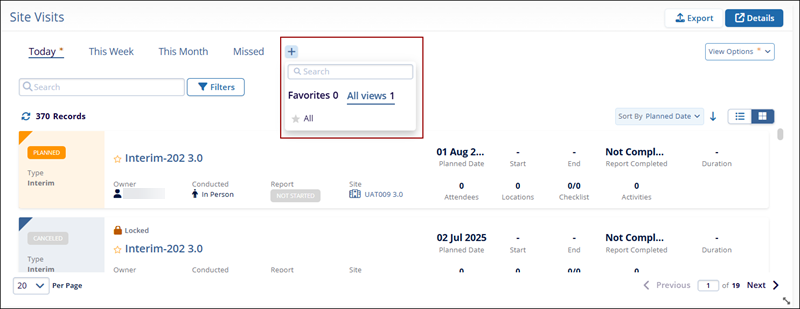
To add a view to the Site Visits dashlet, follow the steps below.
- Click on the + icon on the Site Visits dashlet.
- Select a view from the available dropdown list.
- Click on the star icon to mark a view as favorite and access the ‘Favorites’ tab to see all views marked as favorites.
- The newly added view appears as a tab on the Site Visits
dashlet.
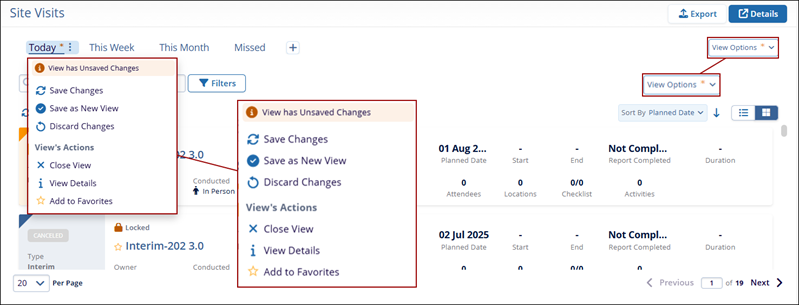
- To configure a view, either click the hamburger icon next to the desired view or
click on the View Options dropdown.
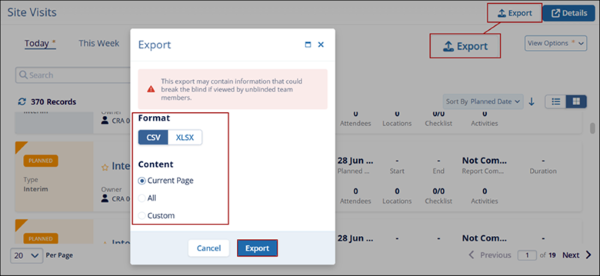
Export Site Visits
To export the Site Visits dashlet details, click on the Export buttons and refer to the standard steps detailed in the Export Activities section above.
Site Visit Details
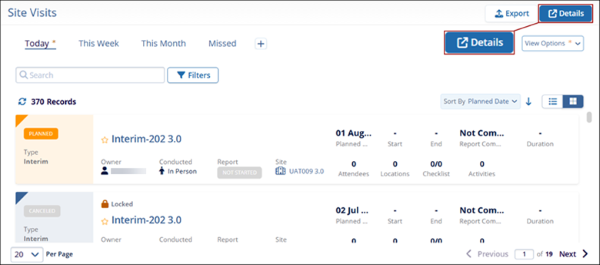
To open the list of Site Visits in a different modal window, click on the Details button on the Site Visits dashlet.
Site Visit Filters
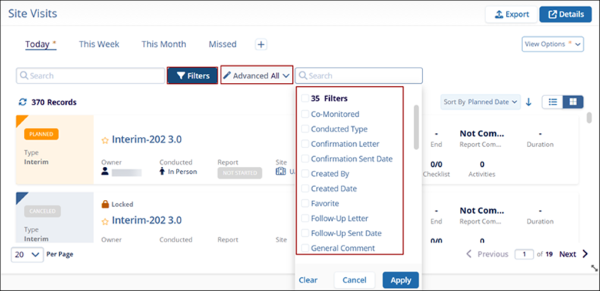
To filter the Site Visits dashlet, refer to the standard steps detailed in the Filter Activities section above to apply standard and advanced filters.

TransPerfect’s Trial Interactive is an industry leader in practical, global eClinical innovation
PRODUCTS
 Linkedin
 X
X
Didn’t find what you need?
Our dedicated Project Management and Client Services team will be available to meet your needs
24 hours a day, 7 days a week.
Toll Free:
(888) 391-5111
help@trialinteractive.com
© 2025 Trial Interactive. All Rights Reserved

