
Site Visits Calendar
The cross-study Site Visits Calendar at the domain-level on the My Page dashboard, enables users to view site visits in a calendar format. This calendar offers functionality similar to the study-level site visits calendar, while providing sufficient details to identify the associated study and site for each visit.
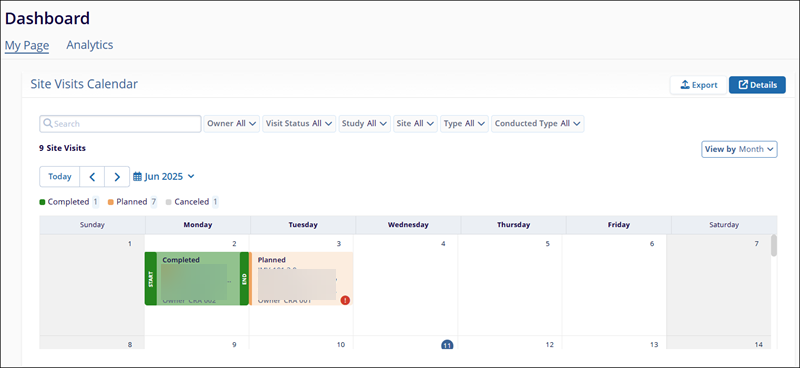
Site Visit Calendar Views
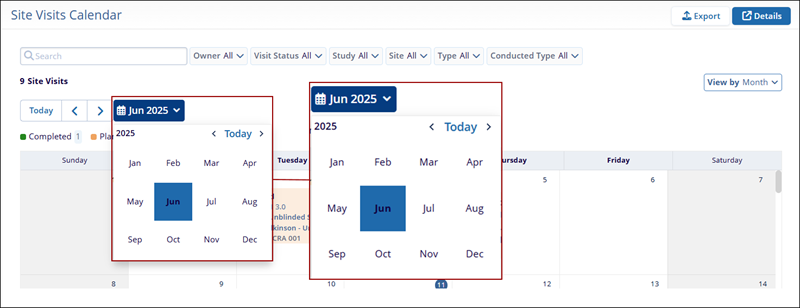
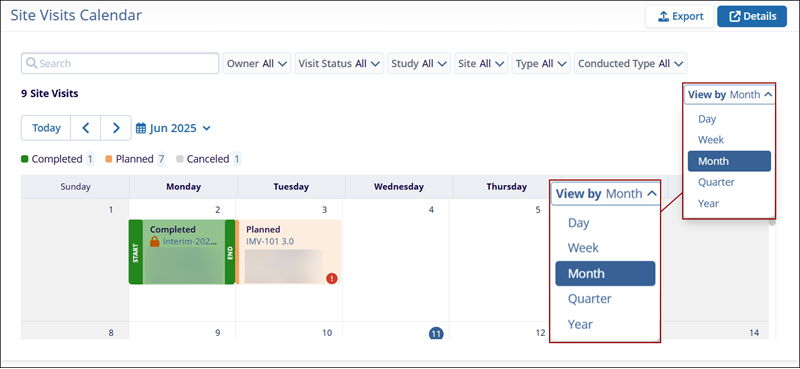
To configure the views on the Site Visit Calendar dashlet, follow the steps below:
- Click on the calendar icon and set the dates.
- Click on the View By dropdown and select either Day, Week, Month, Quarter, or Year.
Export Site Visits Calendar
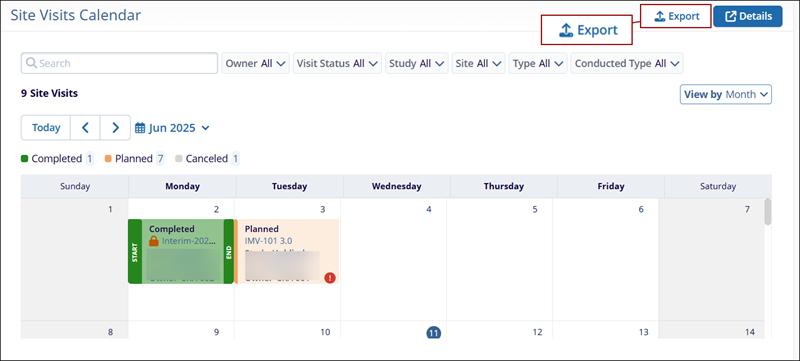
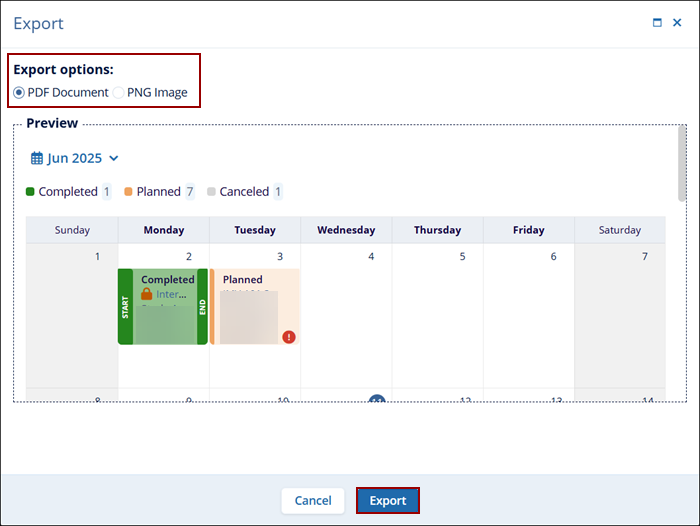
To export the Site Visits Calendar dashlet, follow the steps below.
- On the Site Visits Calendar dashlet, click on the Export button.
- On the Export window, select either PDF Document or PNG Image option and click on
the Export button.
Site Visit calendar Details
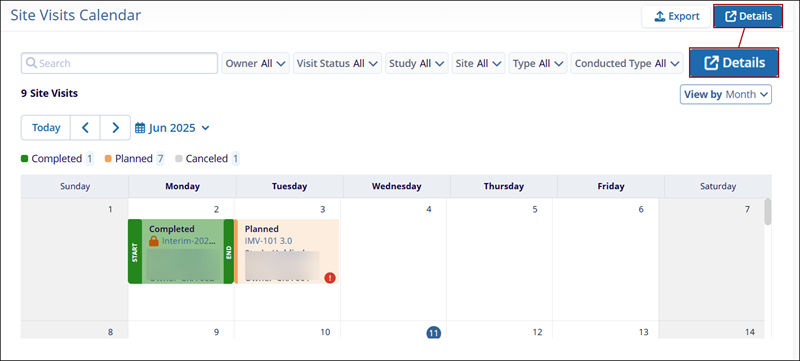
To open the list of Site Visits Calendar details in a different modal window, click on the Details button on the Site Visits dashlet.
Site Visit Filters
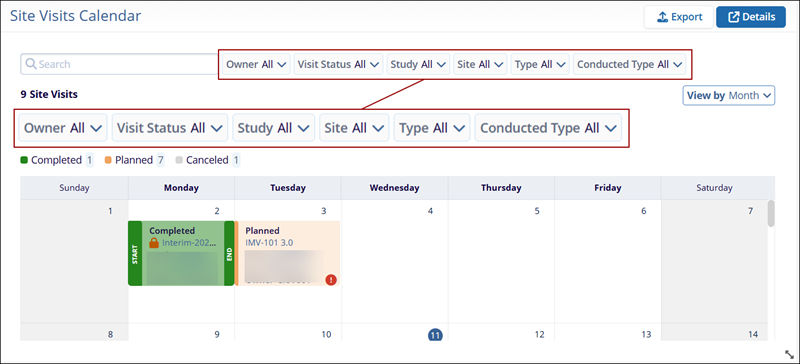
To filter the Site Visits Calendar dashlet, click on the following filter dropdowns and select the necessary filter criteria.
- Owner
- Visit Status
- Study
- Site
- Type
- Conducted Type

TransPerfect’s Trial Interactive is an industry leader in practical, global eClinical innovation
PRODUCTS
 Linkedin
 X
X
Didn’t find what you need?
Our dedicated Project Management and Client Services team will be available to meet your needs
24 hours a day, 7 days a week.
Toll Free:
(888) 391-5111
help@trialinteractive.com
© 2025 Trial Interactive. All Rights Reserved

