
Templates
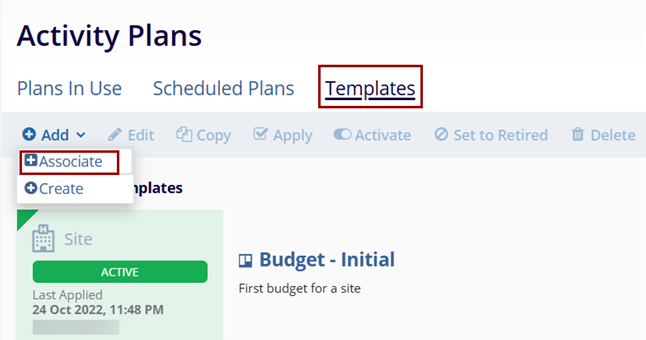
To associate an existing template, follow the steps below:
- On the Templates tab, click on the +Add button and select
+Associate option.
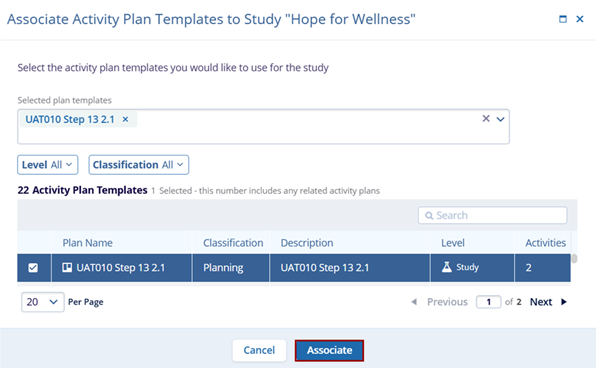
- On the Associate Activity Plan Templates to Study screen, select the plans and click
on the Associate button.
Note: Refer to Activity Plan Templates for standard steps to create new template,
edit, copy, apply, activate, set to retired and delete activity plan template
records.

TransPerfect’s Trial Interactive is an industry leader in practical, global eClinical innovation
PRODUCTS
 Linkedin
 X
X
Didn’t find what you need?
Our dedicated Project Management and Client Services team will be available to meet your needs
24 hours a day, 7 days a week.
Toll Free:
(888) 391-5111
help@trialinteractive.com
© 2025 Trial Interactive. All Rights Reserved

