
Record Type Fields
To configure the record type fields, follow the steps below:
- Select a record category, i.e., Quality Events, CAPA, and Action Item, etc., expand
the parent and sub-folders, and select the desired record type.
.png)
- Click on the Record Type Fields tab and uncheck the Inherit from (parent record)
checkbox.
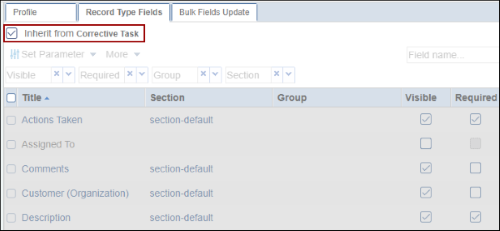 Note: If the Inherit from (parent record) checkbox is checked, the record type will inherit the same configurations of its parent record.
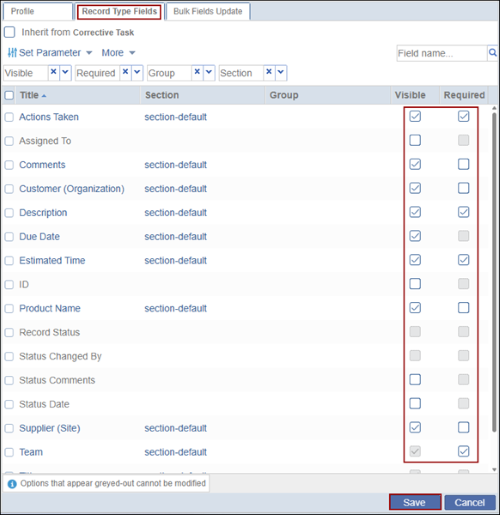
 - Check or uncheck the Required and Visible checkboxes to determine whether the field
should be mandatory and/or visible, respectively and click on the Save button.
© 2025 Trial Interactive. All Rights Reserved

