
By Workflow Status
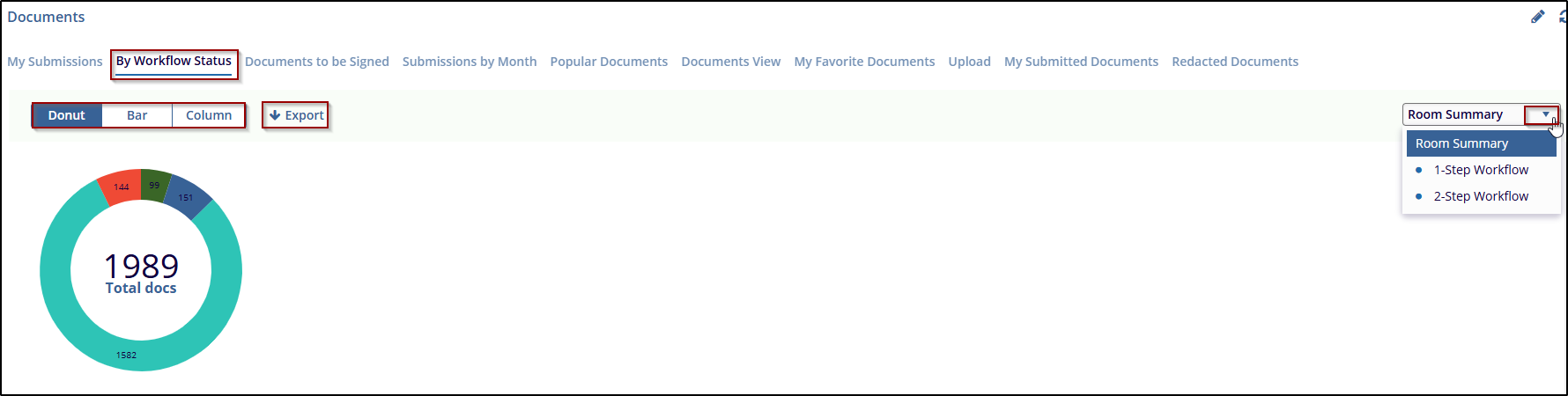
The By Workflow Status refers to the process tasks that documents go through in the system. Workflows are typically defined by stages such as submission, review, approval, redaction, or other processes. The By Workflow Status provides a breakdown of documents within different workflow stages.
Steps to managing workflow Status:
- Click on the By Workflow Status to view the workflow chart through the Donut, Bar, and Column views by selecting it.
- On the right side of the document dashboard, there is
a drop-down menu. By default, the Room Summary option is
selected, where the user can view the document processing
status and complete the Room Summary, with these options
-
- 1-Step workflow
- DM workflow
- QC1 group
-
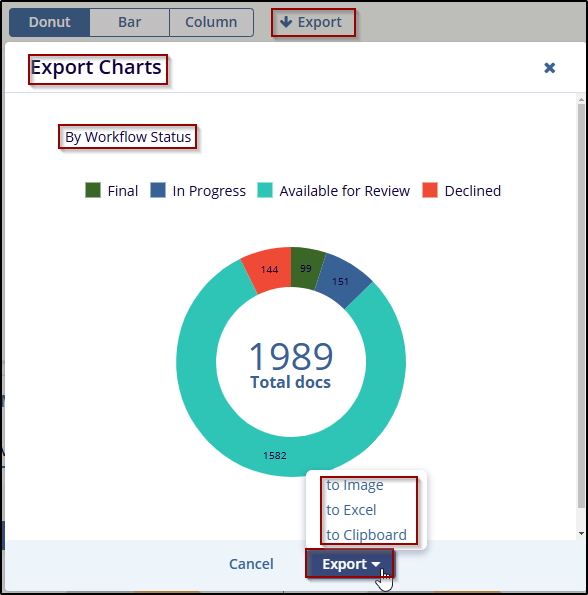
- The user can export this data by clicking the “Export” button. The “Export chart” window will be a pop-up, and the user can export the data in Image, Excel, or Clipboard format.

 Linkedin
 X
X

