
Editing a Placeholder for an Event
Follow the steps below to Editing a Placeholder for an Event:
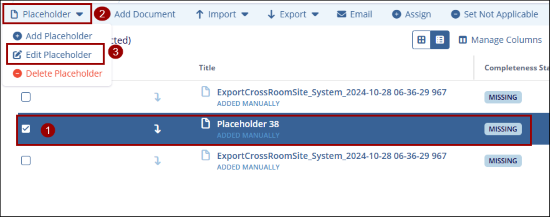
- Select the desired event and choose the placeholder you want to edit.
- Click the Placeholder dropdown menu and select Edit
Placeholder.
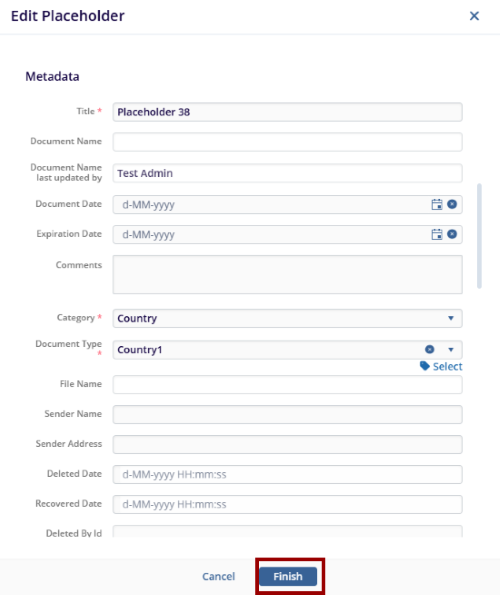
- The Edit Placeholder window appears. Update the required information.
- Ensure the Title, Category, and Document Type fields are filled.
-
Click Finish to save the updates. The placeholder will be updated for the selected event.

 Linkedin
 X
X

