
History Tab
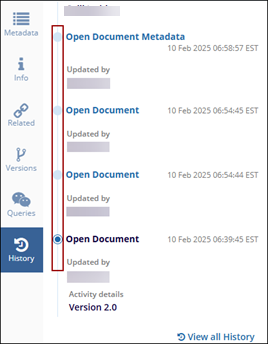
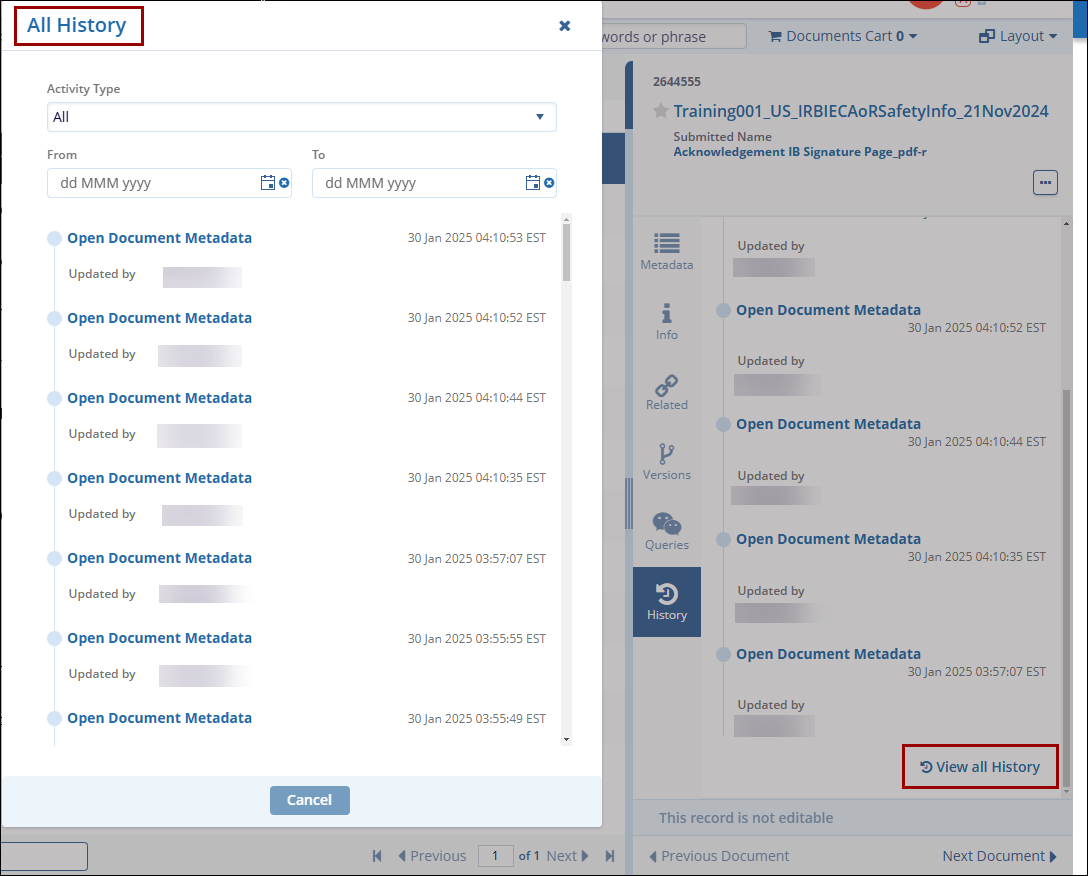
The History tab gives an overview of the document’s history. The History tab displays the top five entries of the activities performed on the document. Here, users can apply the Activity Type and From & To filters to view the history of a document. Additionally, users can view the entire document history by selecting the View all History option.
To access and perform various functions within the History tab, follow the steps below.
-
Select a document from the grid and click the Versions tab in the Metadata panel.
-
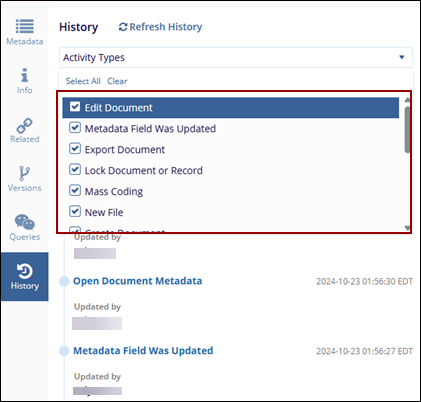
Apply the following filters to and filters to view history pertaining to specific activity and time range.
-
-
Activity Type: Use this drop-down to view the document history by the activity performed on it. Users can select multiple activity types and view history for the selected activity types.
- From & To: Use this filter to view the document history within the set date range.
-
-
- Every activity in the History panel is denoted by a node. Click
the node to view the description, date, time, and name of the
person who performed the activity on the document.
- Click on the View All History button to display the complete history of a document and filter the document history based on the Organization, Activity Type, and Duration.

 Linkedin
 X
X

