
Reject
To reject a document through the documents cart, follow the steps below.
-
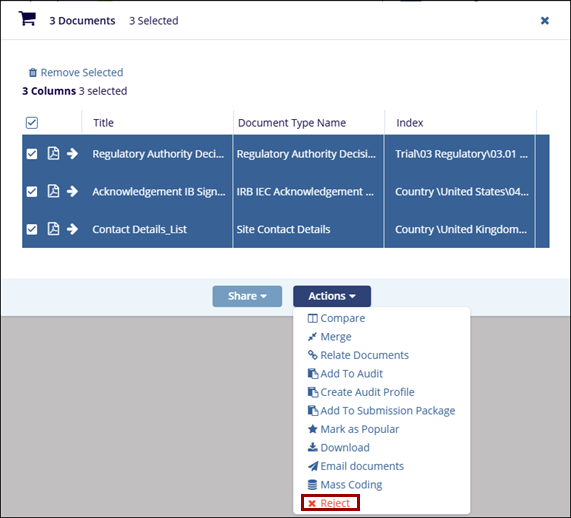
Add the required documents to the Documents Cart and click the arrow next to it to open the Documents Cart window.
- On the Documents Cart window, click on the Actions dropdown and
select the Reject option.
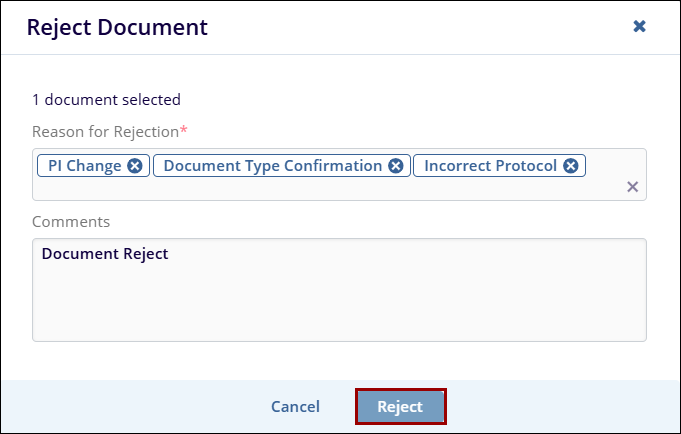
- On the Reject Document screen, add the rejection reason and click on the Reject button.

 Linkedin
 X
X

