
Documents and Collaboration Review
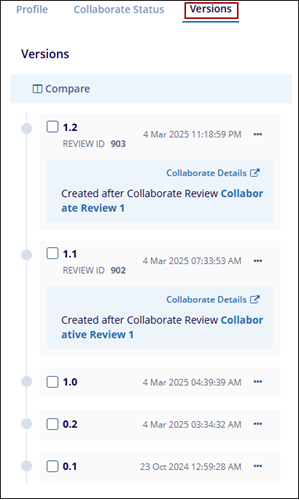
All edits, regardless of method, are tracked as part of a document’s history. Versions of the document can be viewed and compared in the Versions tab of the Metadata panel.
To view the collaborate review history, follow the steps below.
- Click on the Versions tab from the quick view panel to view the
document versions.
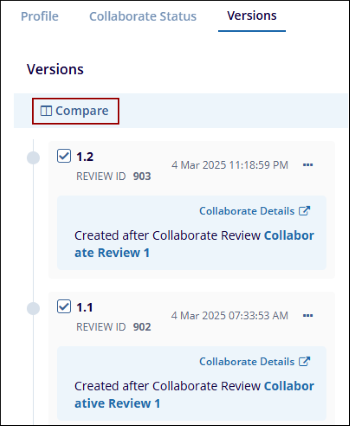
- Select two document versions and click on the Compare button to view the
document versions in a side-by-side view.
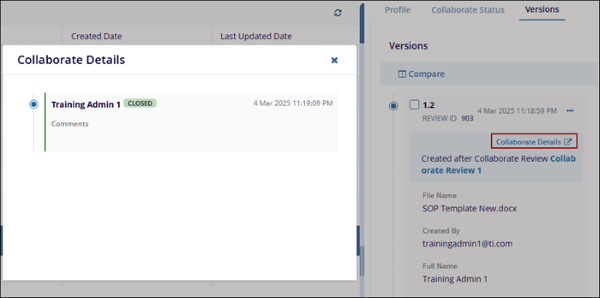
- Click on the Collaborate Details link to view the review details in a
different popup window.
© 2025 Trial Interactive. All Rights Reserved

