
Participate in Team Edit
Collaborators participating in a team edit can simultaneously edit documents in the Document Viewer. Additionally, the Collaborate Review owner can make changes to the team editing session setup via the metadata panel.
To add or remove collaborators and collaboratively edit a document, follow the steps below:
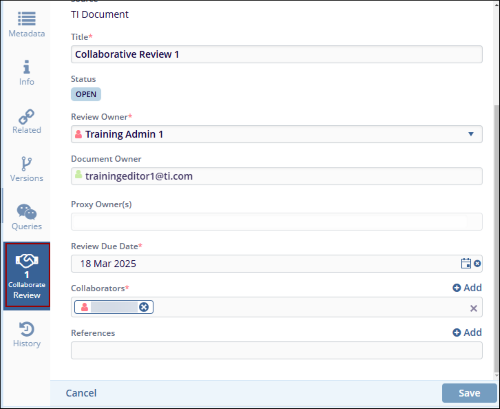
- Navigate to the documents metadata panel and select the Collaborate Review tab.
- Click on the Review Owner* dropdown and assign a different review owner.
- Access the Collaborators* dropdown and add additional
collaborators to the review.
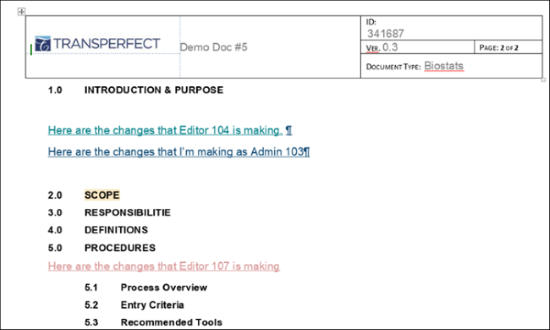
- Click on the Document View to access the document in edit mode. Multiple
users can make changes in real time, with each collaborator marked in a different ink.
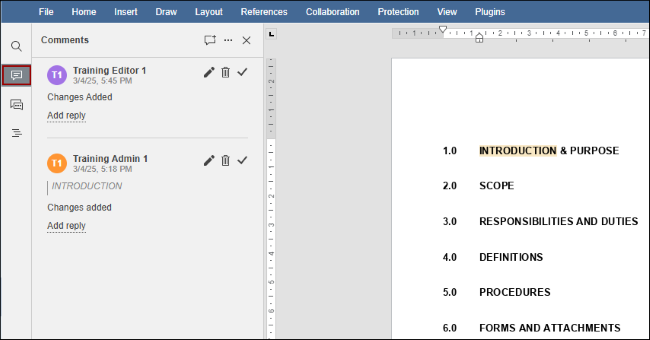
- Click on the Comments button from the vertical toolbar to add comments that
can viewed by other collaborators as well.
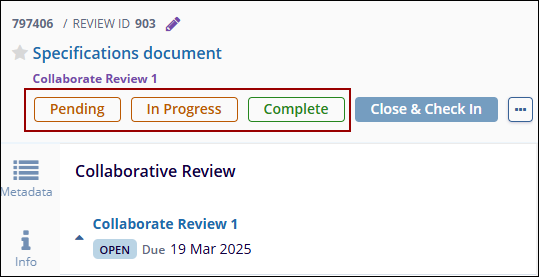
- Navigate to the documents metadata panel and update the review status by selecting
Pending, In Progress, or Complete options.
© 2025 Trial Interactive. All Rights Reserved

